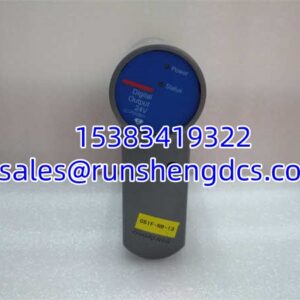

Description
Key Technical Specifications
- Manufacturer: MOOG Inc.
- Product Type: Software License Key (Hardware Dongle)
- System Compatibility: MOOG MSC II Controller
- Function Color Code: Green (Motion Control)
- Enabled Features: Motion Control Library, Trajectory Generation, MATLAB/SIMULINK Integration
- Binding Method: IP Address, PROFIBUS-DP Station Address, CANopen Node ID
- Interface: USB (for PC configuration) / Controller Backplane
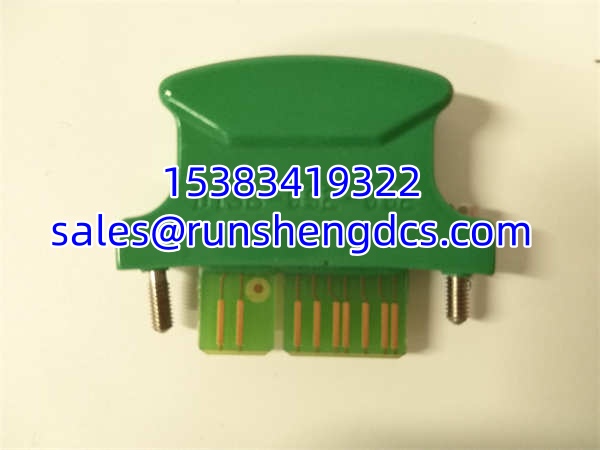
- Physical Color: Green
- Application Domain: Industrial Automation, Test & Simulation, Wind Energy
Product Introduction
You can have the most powerful MSC II controller on the bench, but without the right license key, it’s just an expensive paperweight. The MOOG D138-002-002 is the specific hardware token required to unlock the Motion Control Library on these platforms. It’s not just a generic unlock; this green-coded key explicitly authorizes advanced trajectory generation and MATLAB/SIMULINK integration, which are critical for complex multi-axis synchronization and model-based design workflows.
This isn’t a plug-and-play USB stick you can swap between machines. The MOOG D138-002-002 is cryptographically bound to specific network parameters, including the controller’s IP address, PROFIBUS-DP station address, or CANopen node ID. This binding ensures software compliance but makes field replacement a precise operation. If you lose this key or the controller fails, you can’t just grab a spare from the shelf and expect it to work without re-licensing or hardware replacement. Bottom line: treat this key like a master key to your motion logic.
QA/QC Transparency SOP
Software keys are binary: they work or they don’t. Here is our validation process for the MOOG D138-002-002:
- Intake & Origin Verification: We verify the physical condition of the USB connector and housing. We check the color code (Green) against the part number to ensure it’s not a mismatched “Control” (Gray) or “System” (Blue/Red) key.
- Live Functional Testing: The key is inserted into a live MSC II test environment. We verify the controller successfully reads the dongle and reports the “Motion Control” feature as “Licensed” in the system status.
- Feature Verification: We attempt to load a basic motion trajectory block in the configuration software to confirm the library is actually unlocked, not just recognized.
- Binding Validation: We check the stored binding parameters (IP/MAC) against the label or accompanying documentation to ensure the key matches the intended controller configuration.
- Final QC & Anti-Static Packaging: After passing, the MOOG D138-002-002 is capped, sealed in an ESD bag, and labeled with its specific binding details if known.
Field Engineer Gotchas
- Color Code Confusion: MOOG keys are color-coded by function. Green is Motion. Gray is Control. Blue/Red is System. If you plug a Gray key into a slot expecting Motion, the controller will boot but throw a “License Missing” error for trajectory blocks. Always verify the physical color matches your required function.
- IP/Node Binding Mismatch: This is the #1 failure point. If you replace a failed controller or change the network IP, the MOOG D138-002-002 will stop working. It is hard-bound to the original address. Never change the IP or Station Address without first contacting MOOG support to re-bind the key.
- USB Port Power Issues: On some older MSC II PCs, front-panel USB ports may not supply stable 5V under load. If the key is recognized intermittently, try a rear motherboard USB port or a powered hub. Don’t blame the key until you’ve ruled out power delivery.
- Physical Damage: These keys are often left hanging off the back of a controller in a vibrating cabinet. A cracked housing or bent USB connector is a death sentence. Secure the key with a tie-wrap or velcro. Don’t let it dangle.
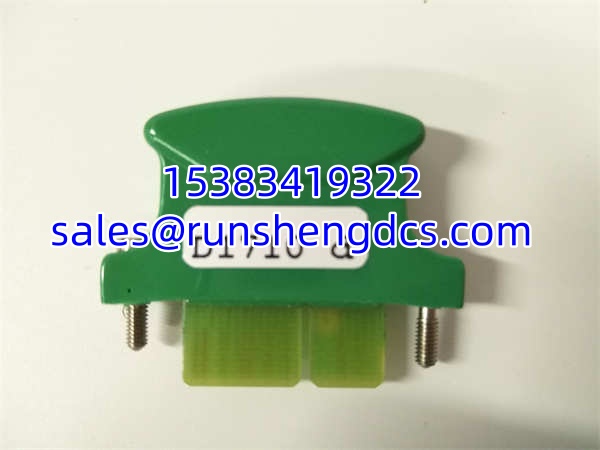
MOOG D138-002-002
Application Scenarios
- Wind Turbine Pitch Control: Unlocks the advanced motion library needed for precise blade pitch actuation using MOOG servo valves and MSC II controllers.
- Automotive Test Rigs: Enables MATLAB/SIMULINK integration for real-time hardware-in-the-loop (HIL) simulation of suspension or steering systems.
- Industrial Press Synchronization: Authorizes multi-axis trajectory generation for synchronized hydraulic pressing operations where timing is critical.
FAQ
Can I use a D138-002-001 (Gray) key for motion control?
No. The Gray key (D138-002-001) only enables basic Control functions. Motion Control, trajectory generation, and SIMULINK support require the Green key (). They are not interchangeable.
Is this key compatible with MSC III or newer controllers?
Generally, no. The is specific to the MSC II platform. Newer controllers use different licensing schemes (often software-only or cloud-based). Verify with MOOG if you are migrating platforms.
What happens if I lose this key?
You cannot simply buy a replacement and plug it in. The new key must be bound to your controller’s specific IP/MAC address. Contact MOOG or an authorized distributor with your controller’s serial number and network details to order a correctly bound replacement.
Does this key expire?
No. The is a perpetual hardware license. It does not have a time-based expiration, provided the hardware remains functional and the binding parameters don’t change.
Can I clone this key to a USB drive?
No. The contains a secure hardware element that cannot be copied. Cloning attempts will fail and may corrupt the license data. Treat it as a unique, non-replicable hardware component.
Why is my key recognized but features are still locked?
Check the binding. If the controller’s IP or Node ID has drifted (e.g., via DHCP), the key is technically present but invalid for the current configuration. Set a static IP and verify it matches the key’s binding.