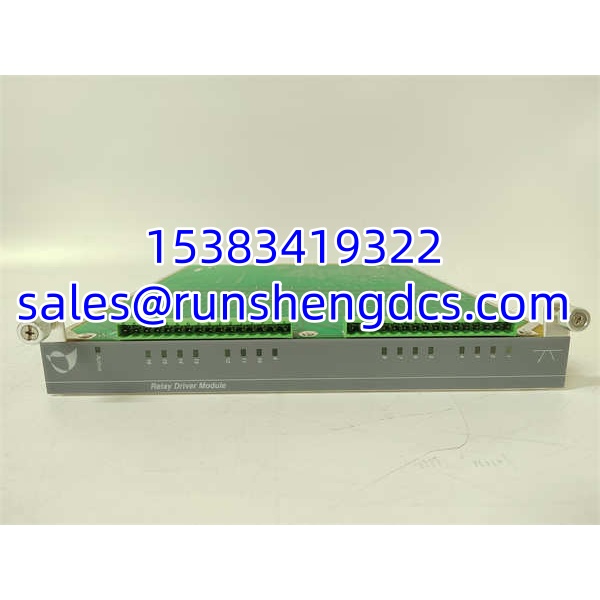

Description
Key Technical Specifications
| Parameter | Value |
|---|---|
| Product Type | Peripheral Interface / Adapter Module |
| Brand / Series | METSO / Process Automation Interface |
| Part Number | IOP353 |
| Primary Function | Connects P2/LCP2 adapter boards to MVME162 backplane connector P2 |
| Supported Interfaces | EIA-232-D serial port, SCSI port, LAN/Ethernet port |
| Backplane Interface | MVME162 P2 connector |
| Compatible Adapters | P2 adapter board, LCP2 adapter board |
| Conversion Modules | MVME712-series (user-supplied or separately sourced) |
| Cable Requirements | Shielded cables recommended for all peripheral connections |
| Mounting | Rack / backplane-mounted (MVME162 chassis) |
Product Introduction
The METSO IOP353 is a peripheral interface module used in legacy Metso process automation systems built around the MVME162 embedded controller architecture. Its primary role is to bridge the P2 or LCP2 adapter board to the MVME162 backplane connector P2, thereby exposing serial (EIA-232-D), SCSI, and LAN/Ethernet interfaces to the controller. This module enables the automation system to communicate with external peripherals — serial terminals, SCSI storage devices, and Ethernet networks — without requiring a separate controller card for each interface type.
Because the IOP353 belongs to a legacy Metso/ ecosystem, it is primarily available as surplus or refurbished stock. It is typically encountered in older process automation installations where the serves as the embedded controller for a DCS node or dedicated process controller. For field deployment, the critical diligence items are confirming the correct adapter board pairing (P2 vs. LCP2), verifying cable availability for the required interface (EIA-232-D, SCSI, or LAN), and ensuring the module revision is compatible with the installed firmware and backplane configuration.
QA/QC Transparency SOP
- Intake & Origin Verification — Confirm METSO branding, IOP353 model designation, serial number, and revision code. Photograph all labels, the P2 connector, and any installed adapter boards. Reject units with corrosion, cracked housings, or bent connector pins.
- Live Functional Testing — Install in a compatible chassis with proper power. Verify backplane communication and peripheral port recognition. Test each active interface (serial, SCSI, LAN) with known-good peripherals and verify data transmission.
- Electrical Parameter Tests — Measure supply current at no-load and under communication load. Verify signal integrity on serial and Ethernet ports using loopback or network test tools. Flag any port with intermittent connectivity or signal degradation.
- Configuration Verification — Confirm the adapter board type (P2 vs. LCP2) matches the system configuration. Verify cable pinouts for EIA-232-D and SCSI interfaces against the programmer reference guide. Archive the system configuration.
- Final QC & Anti-Static Packaging — Seal in ESD bags with desiccant. Include test summary, per-port test results, LED status photos, and configuration readout.
Field Engineer Gotchas
- Adapter Board Mismatch — The IOP353 supports both P2 and LCP2 adapter boards, but they are not interchangeable without configuration changes. Fix: Verify which adapter board type your chassis is configured for before installation. Warning: Installing the wrong adapter board can cause backplane communication failures.
- EIA-530 Incompatibility — If your is configured to use EIA-530 on Port B, do NOT install P2/ adapter boards with MVME712-series conversion modules — they are incompatible. Fix: Check the configuration before adding any interface hardware. War story: A plant added an with an MVME712 module to a system configured for EIA-530 and spent days troubleshooting a non-functional serial port that was never going to work in that configuration.
- Cable Availability — Many peripheral cables (especially SCSI and specific EIA-232-D pinouts) are not included with the module and must be sourced separately. Fix: Inventory required cables before the shutdown window. Blunt advice: A module without the right cable is a paperweight.
- Shielded Cable Requirement — Motorola/Metso explicitly recommends shielded cables for all peripheral connections to minimize radiation and noise. Fix: Use shielded cables and verify proper ground termination. Unshielded cables can cause intermittent communication faults.
- Legacy Firmware Dependencies — The firmware version may limit which interfaces are supported or require specific initialization sequences. Fix: Verify firmware compatibility before deploying the in a production system.
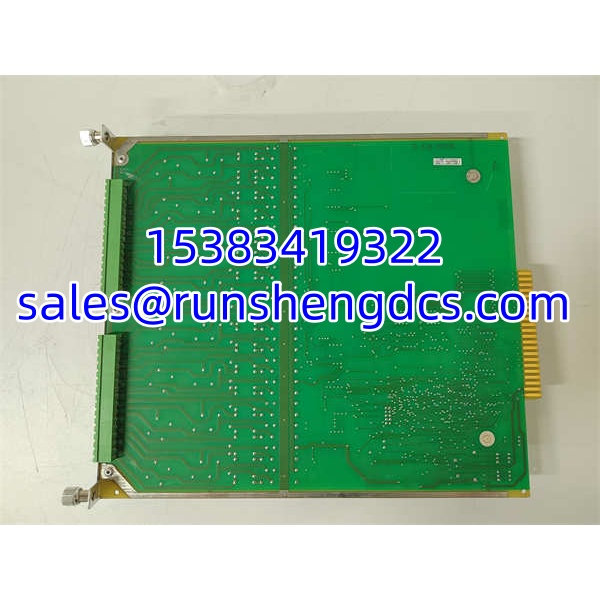
METSO IOP353
Application Scenarios
- Legacy DCS node communication — The provides serial and Ethernet connectivity for an -based controller in an older Metso DCS installation.
- SCSI storage interface — The module enables connection of SCSI storage devices to the controller for local data logging or program storage.
- Serial terminal access — EIA-232-D ports provide local console access for maintenance and troubleshooting of the embedded controller.
- Ethernet network integration — The LAN port connects the controller to the plant Ethernet network for HMI communication and data exchange.
FAQ
A: It connects P2 or adapter boards to the backplane, providing serial, SCSI, and LAN/Ethernet interfaces to the controller.
A: It is neither a traditional analog nor digital I/O module. It is a peripheral interface/adapter module that exposes serial, SCSI, and Ethernet ports to the controller.
Q: What backplane does it use?
A: It connects to the backplane via the P2 connector.
Q: What adapter boards are compatible?
A: P2 adapter board and adapter board.
Q: Can I use it with EIA-530?
A: No. If the is configured for on Port B, P2/ adapter boards with MVME712-series modules are incompatible.
Q: Are cables included?
A: No. Many peripheral cables must be sourced separately by the user.
Q: Is this module still in production?
A: Availability varies. Much of the market supply is surplus or refurbished. Confirm condition, revision, and compatibility with your installed system before purchase.