

Description
Key Technical Specifications
- Product Model: IOP114
- Brand: METSO / Valmet Automation
- Product Type: I/O input module
- Likely Functional Role: Thermocouple or millivolt input
- System Family: Metso MAX Control Systems
- Installation Style: Metso/Valmet MAX I/O chassis or cabinet slot
- Input Type: TC/mV — verify thermocouple type, mV range, wiring, and cold-junction requirements
- Channel Configuration: Not confirmed for bare IOP114; check whether the unit is IOP114-4W, IOP114-6W, or another sub-model
- Communication / Bus Role: Not confirmed here; do not assume RS-485/RS-232 function from generic surplus text
- Documentation Status: No verified OEM datasheet or wiring manual confirmed here
- Availability Type: Surplus / legacy industrial spare
- Verification Required: Full label, revision, sub-model, slot position, host MAX controller, and field sensor type
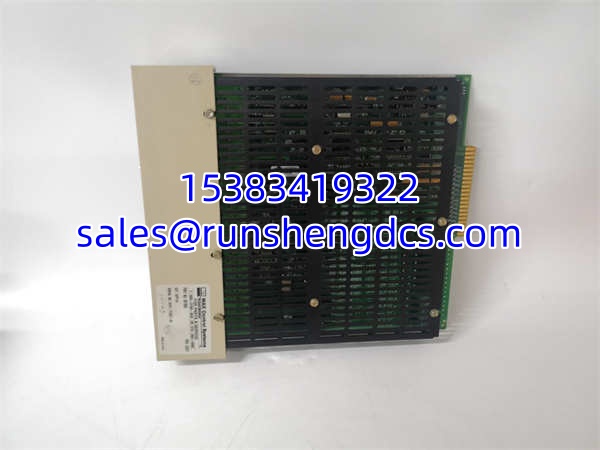
METSO IOP114
Product Introduction
On a Metso/Valmet MAX Control System, an IOP114 is not a generic PLC card. It belongs to the legacy MAX I/O family, where module function is usually tied to a specific signal type and chassis slot. The strongest technical identification points to IOP114-4W/6W being a TC/mV input module, meaning it is intended for thermocouple or low-level millivolt measurements rather than standard 24 V digital inputs.
Bottom line—its value is drop-in replacement potential for an identical MAX Control Systems TC/mV input module. Generic surplus descriptions calling it a “digital input module” are not reliable enough to override the TC/mV identification. If the replacement module is the wrong sub-model or revision, the controller may reject it, read incorrect temperatures, or fail to recognize the channel wiring.
Troubleshooting Quick Reference
| Fault | Likely Cause | Quick Check |
|---|---|---|
| Module not recognized | Wrong sub-model or slot mismatch | Compare full label: , including -4W/6W and revision |
| No readings / open channel | Broken TC, open mV source, or loose wiring | Measure resistance/mV at the field terminal |
| Wild or drifting temperature | Wrong TC type, bad cold junction, or noise | Confirm thermocouple type and shield/grounding |
| All channels fault | Backplane contact, slot power, or module failure | Reseat module; check MAX I/O status LEDs |
| Intermittent values | Loose connector or corroded terminals | Inspect pins and field wiring under ESD control |
| System fault after swap | Revision or configuration mismatch | Check controller fault log before forcing operation |
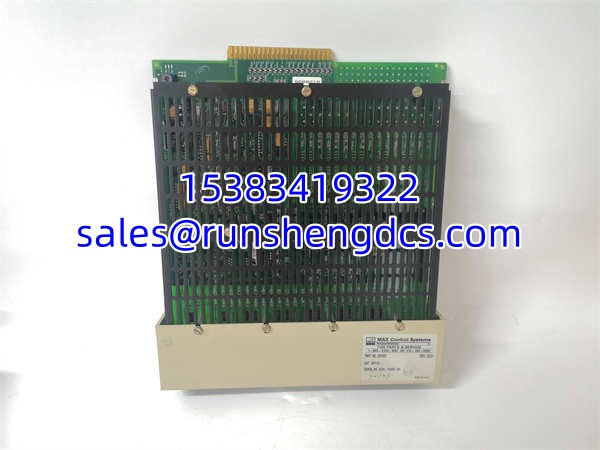
METSO IOP114
Application Scenarios & Pain Points
- Pulp and paper mill process control: A MAX Control Systems cabinet shows a bad temperature or mV input. The pain point is that replacing the wrong sub-model can look physically correct but still fail configuration or scaling.
- Power plant auxiliary system: Thermocouples feed critical temperature data into a legacy Metso/Valmet system. The pain point is distinguishing a failed input module from a failed thermocouple, extension wire, or cold-junction issue.
- Chemical plant reactor or heat-trace monitoring: Harsh environments corrode terminals and damage older I/O cards. The pain point is keeping one verified with the correct revision on site instead of waiting for a surplus supplier to confirm details.
- Metallurgy / steel mill temperature monitoring: High EMI and vibration create intermittent readings. The pain point is deciding whether the fault is the module, the backplane, or field noise before pulling hardware.
- Legacy MAX Control Systems retrofit: Documentation is thin and the original integrator may be unavailable. The pain point is installing a surplus module without confirmed wiring, channel count, or TC-type configuration.




