
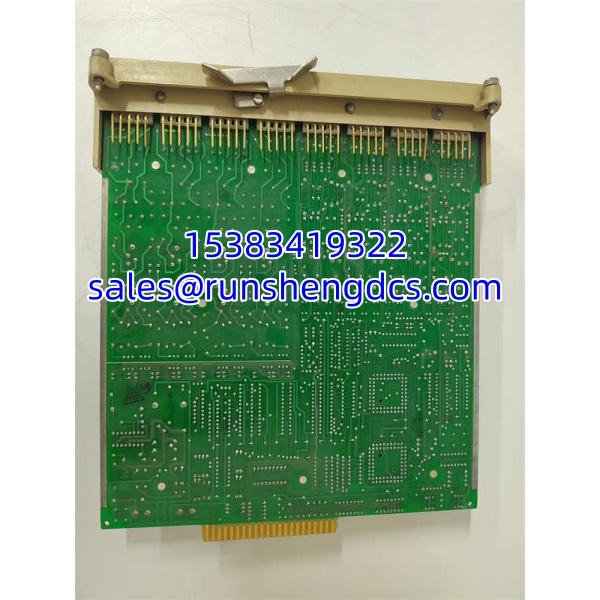

Description
Key Technical Specifications
| Parameter | Detail |
|---|---|
| Manufacturer | Metso (automation now Valmet) |
| Part Number | IOP111 |
| Product Type | DCS process I/O module |
| Typical Function | Analog/digital I/O interfacing to field devices |
| Signal Types | Varies by sub-version: AI, AO, DI, DO |
| Supply Voltage | Typically 24 VDC or system backplane supply; verify on nameplate |
| Mounting | DCS rack / module slot mounting |
| Typical Applications | Pulp & paper, power, chemical, and process control systems |
| Documentation | Limited public datasheet; confirm against OEM manual |
| Procurement Status | Legacy/surplus; verify revision before purchase |
Product Introduction
In DCS environments, the most dangerous assumption is that “same model number” means “same module.” The IOP111 is a Metso/Valmet-era process I/O module, and it is commonly referenced in surplus listings as a generic input/output card. In practice, its exact behavior depends on the sub-version, hardware revision, and the DCS platform it was configured for.
This module typically sits in a DCS rack and handles conversion between field signals — such as 4–20 mA, voltage, or discrete contacts — and the controller’s internal process data. It is not a standalone PLC, and it is not a universal I/O block that can be dropped into any system. Because Metso’s automation business transitioned to Valmet, documentation and replacement paths should be checked against current Valmet references rather than outdated Metso brochures.
The biggest field risk is channel mismatch. A replacement IOP111 may power up and communicate, but if the channel type, scaling, or fault handling differs from the original, the process display can look normal while actual output behavior is wrong.
QA/QC Transparency SOP
- Intake & Origin Verification: Record full model, sub-version, hardware revision, serial number, and slot position. Inspect connectors, backplane pins, fuses, and burn marks.
- Live Functional Testing: Install in a compatible DCS rack or verified test fixture. Confirm power LED, module status, and controller recognition.
- Channel Verification: Test each channel individually with a calibrated source or load. Verify scaling, direction, and fault response.
- Configuration Check: Compare module configuration with the existing DCS database. Confirm channel types, alarm limits, and failure modes.
- Final QC & Packaging: Document tested channels, firmware/revision, and any deviations. Pack with anti-static and shock protection.
Field Engineer Gotchas
- Sub-Version Ambiguity: IOP111 may have multiple hardware or channel variants. Fix: Match the exact sub-version and revision, not just “IOP111.”
- DCS Platform Dependency: This module is meant for a specific Metso/Valmet DCS architecture. Fix: Confirm compatibility with the installed controller and rack type.
- Scaling Mismatch: A 4–20 mA channel may be scaled differently in the replacement module or DCS configuration. Fix: Verify engineering units before closing the loop.
- Legacy Documentation Gap: Public listings often repeat generic descriptions. Fix: Use the OEM manual and existing DCS configuration as the source of truth.
- Surplus Channel Damage: One failed channel can make the whole module unreliable. Fix: Test all channels, not just the one that originally failed.
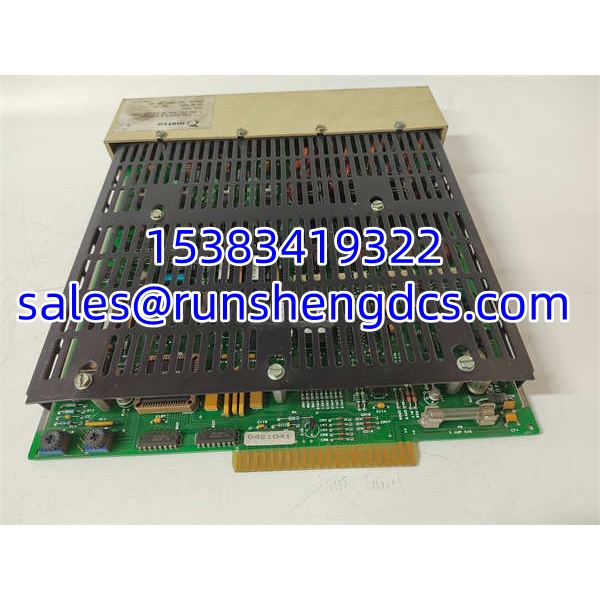
METSO IOP111
Application Scenarios
- Pulp and paper DCS maintenance: Replacing failed I/O cards in legacy Metso/Valmet process stations.
- Power plant control systems: Supporting analog and digital I/O for auxiliaries and process monitoring.
- Chemical/process plants: Interfacing field transmitters and final control elements to the DCS.
- System migration projects: Identifying existing modules during upgrades to newer Valmet platforms.
FAQ
A: It should be treated as legacy. Metso automation is now part of Valmet, so availability is mainly through surplus or OEM-supported replacement paths.
A: No. It is a DCS I/O module, not a standalone programmable logic controller.
A: Not automatically. The sub-version, revision, channel type, and DCS configuration must match.
Q: What signals does it support?
A: Typically analog and/or digital process signals, but the exact type depends on the specific variant.
Q: What should I check before buying?
A: Sub-version, hardware revision, channel count, signal type, physical condition, and compatibility with the existing DCS rack.
Q: Can Valmet still support this module?
A: Support depends on the installed system generation. Confirm directly with Valmet or the current system integrator.




