
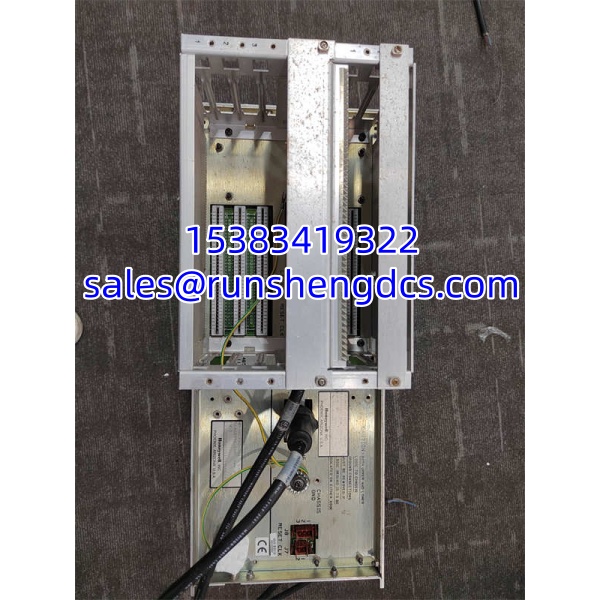

Description
Key Technical Specifications
| Parameter | Value / Status |
|---|---|
| Product Model | 51402455-100 MP-DNCF02-201 |
| Manufacturer | Honeywell |
| Product Family | TDC 3000 / TPS digital I/O |
| Module Function | Digital input/output |
| Channel Configuration | Combined DI and DO channels; exact count to be verified from OEM documentation |
| Signal Type | Discrete digital signals |
| Input/Output Voltage | Verify from OEM manual and module label |
| Hot Swap | Supported in supported TDC 3000 configurations |
| Termination | Requires matching Honeywell termination panel and cable assembly |
| Controller Compatibility | PM/APM/HPM I/O link or compatible TDC 3000 I/O chassis |
| Revision | -201 (successor to MP-DNCF02-200) |
| Lifecycle Status | Discontinued / surplus |
Product Introduction
The most common mistake with TDC 3000 I/O replacements is ordering by the 5140 part number alone and ignoring the MP suffix. The 51402455-100 MP-DNCF02-201 is a digital I/O module for Honeywell TDC 3000/TPS systems, providing discrete input and output channels for interlocks, permissives, valve position feedback, motor run status, and other binary process signals.
It sits in the I/O layer of the TDC 3000 architecture, typically connected through a PM/APM/HPM I/O link or compatible I/O chassis, and requires the correct Honeywell termination panel and cable set. The -201 revision generally supersedes the earlier -200 version, but firmware, channel mapping, and termination compatibility must be confirmed before installation. Bottom line — this is a field-facing I/O module, not a processor, network interface, or power supply.
QA/QC Transparency SOP
- Intake & Origin Verification
Record the full label: 51402455-100, MP-DNCF02-201, revision, serial number, and date code. Confirm the module came from a TDC 3000/TPS I/O chassis or I/O link cabinet. Reject units with missing labels, bent backplane connectors, or unknown cabinet history. - Live Functional Testing
Install the module in a compatible TDC 3000 test chassis or I/O link rack. Apply chassis power and verify the module powers up, passes self-test, and is recognized by the associated PM/APM/HPM. Force digital inputs and outputs through the controller to confirm channel response. - Electrical Parameter Tests
Measure backplane power draw against the OEM specification. Check input channel threshold response and output channel drive capability using a Fluke multimeter or test load. Inspect the backplane connector pins for corrosion, bending, or cold solder joints. - Firmware/Config Verification
Read the module identity and firmware revision through the TDC 3000 configuration software. Compare it with the revision running in the live cabinet. Back up the I/O point configuration. Flag modules that fail self-test or report incompatible firmware. - Final QC & Anti-Static Packaging
Label with model, revision, test results, and known limitations. Pack in ESD-safe bags with backplane connector protection. Include a test summary — not an OEM factory calibration certificate.
Field Engineer Gotchas
- Revision -200 vs -201 mismatch
Risk: Assuming the -201 is a direct drop-in for a -200 without checking. Solution: Verify the OEM compatibility matrix. Some revisions change channel mapping, firmware, or termination requirements. War story: A plant replaced a failed MP-DNCF02-200 with a -201 unit. The module powered up, but several I/O points reported incorrect states until the controller configuration was updated to match the new revision. - Termination panel confusion
Risk: Buying the module without confirming the correct termination panel and cable assembly. Solution: TDC 3000 I/O modules do not wire directly to field devices. They require the matching Honeywell termination panel. Using the wrong panel can leave channels unmapped or miswired. - Channel count assumptions
Risk: Ordering based on “digital I/O module” without confirming how many inputs and outputs are present. Solution: Check the OEM manual for the exact MP-DNCF02 channel configuration. Do not assume it matches another Honeywell DI or DO card. - I/O link vs direct-mount mismatch
Risk: Installing the module in the wrong chassis type. Solution: Confirm whether the module belongs in a PM/APM/HPM I/O link cabinet or a local I/O chassis. The wrong chassis can prevent recognition or cause communication faults. - Hot-swap is not zero-impact
Risk: Pulling the module during active control without coordinating with operations. Solution: Hot swap is supported in certain configurations, but the affected I/O points may go to a safe state during replacement. Confirm redundancy and interlock status first.
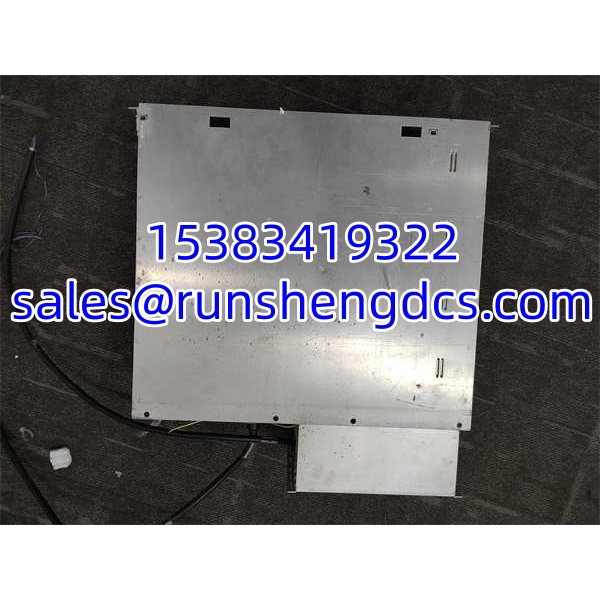
HONEYWELL 51402455-100 MP-DNCF02-201
Application Scenarios
- TDC 3000/TPS interlock replacement in a refinery. A digital I/O module fails, taking out valve position feedback and motor run status points. A verified MP–201 replacement restores the I/O without replacing the entire PM or I/O link cabinet.
- Legacy compressor control cabinet sparing. Sites running TDC 3000 keep matched I/O spares because OEM lead times are long. The -201 revision must be verified against the installed -200 or earlier hardware before commissioning.
- I/O point migration during cabinet retrofit. When upgrading a TDC 3000 cabinet, engineers document each MP module revision and termination panel. This prevents mismatched replacements during emergency outages.
- Anonymized case: A petrochemical plant reported intermittent digital output failures on a TDC 3000 PM I/O link. The maintenance team replaced the failed module with a surplus 51402455-100 unit, but the problem returned. Investigation showed the termination panel cable had a cracked connector after years of vibration. Replacing the cable assembly and re-testing the MP–201 module resolved the issue. The module was functional; the physical connection was not.
FAQ
Not automatically. The -201 revision generally supersedes the -200, but you must confirm firmware, channel mapping, and termination panel compatibility before swapping.
How many digital inputs and outputs does it have?
The exact channel count must be confirmed from the Honeywell TDC 3000 I/O manual and the module label. Do not assume it matches other Honeywell DI or DO cards.
Can I install this in any TDC 3000 chassis?
No. It must be installed in a compatible TDC 3000/TPS I/O chassis or I/O link configuration. Verify the chassis type, slot rules, and controller association.
Does it require a termination panel?
Yes. TDC 3000 I/O modules connect to field wiring through a Honeywell termination panel and cable assembly. The module alone cannot be wired directly to field devices.
Is hot-swap supported?
Yes, in supported TDC 3000 configurations. But the affected I/O points may change state during replacement. Coordinate with operations before removing the module.
Can I use this in an Experion PKS cabinet?
Not directly. This is a TDC 3000/TPS I/O module. Experion PKS uses different I/O families such as C200/C300 and associated I/O packs.
Should I stock a spare?
If you still run TDC 3000/TPS with MP- modules, yes. Keep the spare matched to your installed revision and termination panel.




