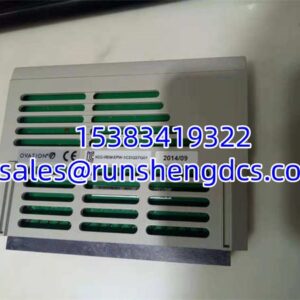
Description
Key Technical Specifications
| Parameter | Value / Notes |
|---|---|
| Manufacturer | Honeywell |
| Part Number | 05701-A-0361 |
| Product Type | Engineering card / control-system circuit card |
| External Interface | RS232 engineering port |
| Backplane Function | Serial communication controller/monitor |
| Supply Voltage | 18–32 VDC |
| Typical Power | ~1.5 W |
| Approximate Dimensions | 170 mm × 25 mm × 132 mm |
| Approximate Weight | 0.152 kg |
| Self-Test Function | Circuit, software, and backplane communication self-verification |
Product Introduction
Replacing a Honeywell engineering or backplane communication card is one of those jobs where the physical part number is only the starting point. The card may look correct, fit the chassis, and power up — but still fail to communicate if the revision, firmware, configuration, or host system compatibility is wrong. The HONEYWELL 05701-A-0361 fits that profile: a legacy engineering card associated with backplane serial communication monitoring and an external RS232 engineering interface.
Its practical value is as a maintenance or replacement component for an existing Honeywell control system, not as a generic field I/O device. At roughly 1.5 W typical power and an 18–32 VDC supply range, it is a low-power control card rather than a heavy field interface module. The real question during procurement is not whether the part number matches, but whether the card’s revision and configuration actually match the host system.
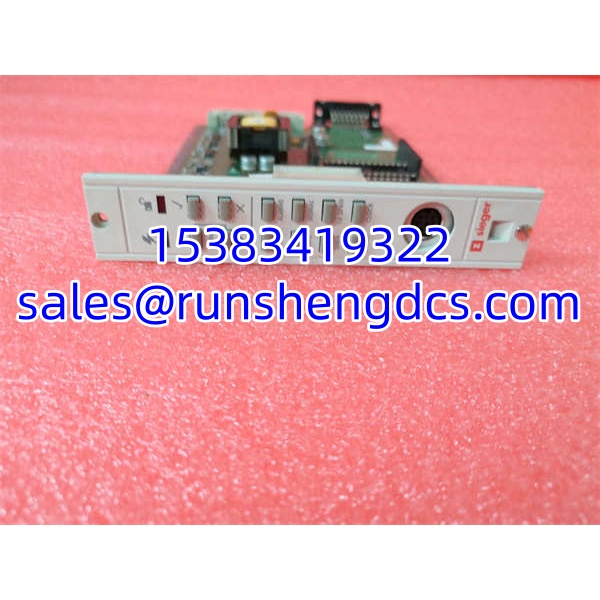
HONEYWELL 05701-A-0361
QA/QC Transparency SOP
- Intake & Origin Verification
Check the nameplate for:- Full part number: 05701-A-0361
- Honeywell branding
- Revision or issue level
- Serial number or date code
- Original labeling integrity
Reject cards with reprinted labels, mismatched part numbers, missing revisions, or evidence of unauthorized board-level repair unless supported by verifiable test documentation.
- Visual & Mechanical Inspection
Inspect the backplane connector, RS232 port, PCB edges, mounting hardware, and components. Look for bent pins, corrosion, burnt traces, cracked housings, liquid damage, or lifted pads. The backplane connector is a common mechanical weak point on pulled control cards. - Live Functional Testing
If a compatible Honeywell chassis is available, install the card and verify:- Power-up behavior
- Backplane recognition
- RS232 engineering port response
- Self-test or diagnostic indications
- Communication with the host controller or engineering workstation
Do not assume the card is functional just because LEDs illuminate.
- Electrical Parameter Tests
Perform continuity checks on accessible connectors and verify supply input behavior within the 18–32 VDC range. Avoid megger or high-voltage insulation tests on low-voltage logic, communication ports, or backplane pins unless the OEM manual explicitly permits it. - Final QC & Anti-Static Packaging
Record part number, revision, serial number, physical condition, test results, and any configuration readouts. Package in ESD-safe materials, protect the RS232 port and backplane connector, and include a note requiring verification of system compatibility before installation.
Field Engineer Gotchas
Misclassified product type
Risk: Buying 05701-A-0361 as a flame detector, discrete I/O module, or motion-control card because of conflicting online listings.
Fix: Treat it as an engineering card / backplane communication card until the nameplate and host system confirm otherwise.
Blunt warning: If the seller cannot show a clear nameplate photo, walk away.
Revision mismatch
Risk: The card powers up but the engineering workstation cannot communicate, or the host chassis flags a configuration error.
Fix: Compare the card revision, issue level, and any firmware or configuration identifiers against the existing system.
War story: A replacement engineering card arrived with the correct part number but a different revision. The chassis recognized the hardware physically, but the engineering tool could not establish a stable session. The fix was not a new card — it was a matching revision.
RS232 cabling and pinout errors
Risk: Assuming any cable will work.
Fix: Verify pinout, null-modem requirements, baud rate, and engineering-tool settings before blaming the card.
Bottom line: A dead engineering port is often a cable or configuration problem, not a failed card.
Backplane compatibility assumptions
Risk: Assuming the card fits any Honeywell chassis because the part number matches.
Fix: Confirm chassis type, slot compatibility, backplane keying, and host controller support before installation.
Surplus listing noise
Risk: Supplier pages mixing unrelated products, such as servo drives or flame detectors, into the same listing.
Fix: Require a photo of the actual card, including the full label and revision markings.
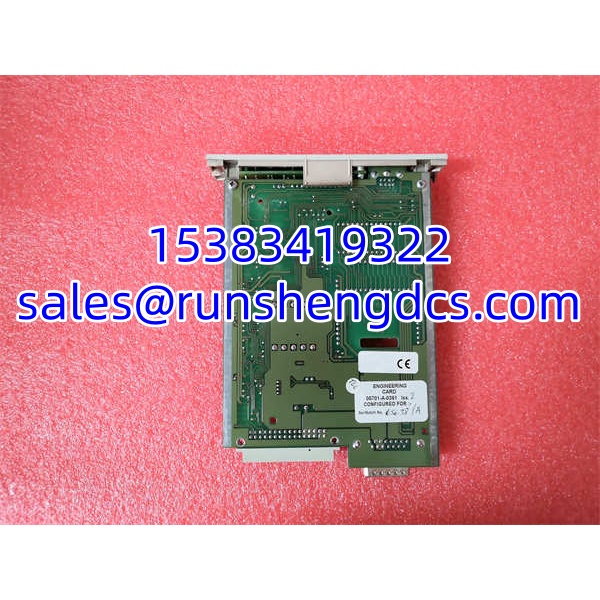
HONEYWELL 05701-A-0361
Application Scenarios
- Legacy Honeywell control system maintenance, where an engineering card is needed to restore local diagnostics or backplane communication access.
- DCS or control-chassis troubleshooting, where the engineering interface is used for configuration, monitoring, or commissioning.
- Plant turnaround spare provisioning, where a known-failed engineering card must be replaced quickly without waiting for OEM lead times.
- Control system expansions or migrations, where an existing chassis requires a matching engineering interface card for integration work.
- Aging industrial facilities running older Honeywell control hardware where replacement parts are no longer widely stocked.
Anonymized Field Case
A process unit running an older Honeywell control chassis lost engineering access through the local port. The workstation could not establish communication, and the maintenance team initially suspected a laptop serial adapter issue. After swapping cables and adapters, the problem persisted.
The engineering card was pulled and inspected. The physical part number matched 05701-A-0361, but the replacement card under consideration had a different revision and no verified configuration history. Instead of installing it immediately, the team compared the revision, checked the backplane connector, and verified the host chassis compatibility. The original card was sent for bench testing, and the replacement was held until the revision and communication behavior were confirmed.
The lesson: with engineering and backplane communication cards, “same part number” does not automatically mean “drop-in replacement.”
FAQ
Is HONEYWELL 05701-A-0361 a flame detector?
No — not based on the more specific technical description. It is better classified as an engineering card / control-system circuit card with and backplane communication functions. Flame-detector listings for this part number appear unreliable.
Is it a discrete I/O module?
Not based on the stronger technical evidence. Some listings call it a discrete I/O module, but the more specific description identifies it as an engineering card with backplane serial communication and engineering interface functions.
What voltage does it require?
The listed supply range is 18–32 VDC, with approximately 1.5 W typical power consumption. Verify this against the nameplate before powering the card.
Can I install it in any Honeywell chassis?
No. Compatibility depends on the host chassis, slot type, backplane architecture, revision level, and system configuration. Do not assume fit or function from the part number alone.
Will this card work if the revision is different?
Not necessarily. A different revision may change firmware behavior, backplane communication, engineering-port compatibility, or configuration requirements. Match the revision whenever possible.
What should I check before buying a surplus 05701-A-0361?
Ask for:
- A clear photo of the full nameplate
- Revision or issue level
- Serial number or date code
- Physical condition photos
- Functional test results, if available
If the seller cannot provide those, treat the purchase as high risk.
Where should I verify the exact specifications?
Use the card nameplate, the host system hardware manual, Honeywell technical documentation, and the engineering workstation configuration data. Third-party surplus listings are useful for identification, but they should not replace OEM documentation.