
Description
Key Technical Specifications
| Parameter | Value / Notes |
|---|---|
| Product Type | Communication Module |
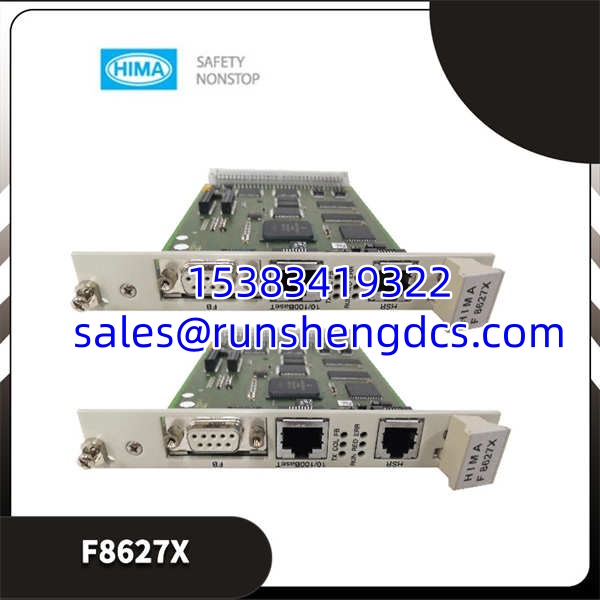
| Part Number | F8627X |
| Order Code | 984862765 |
| Brand / Origin | HIMA / Germany |
| Compatible Systems | H41q, H51q (3rd-gen PES) |
| Ethernet Interface | 10/100BaseT (SafeEthernet) |
| Serial Interfaces | RS-232, RS-485 |
| Supported Protocols | Modbus TCP, OPC DA (via HIMA OPC Server), ELOP over Ethernet |
| Form Factor | 19-inch module, 3 HU × 4 WU |
| CPU Programming | ELOP I over Ethernet (from V4.1) |
| Compatible CPUs | F8650X / F8652X (safe), F8651X / F8653X (non-safe) |
| Availability | Surplus / aftermarket |
Product Introduction
You’re keeping a HIMA H41q or H51q safety system alive, and the comm module is where your DCS integration either works or becomes a weekly headache. The F8627X is HIMA’s Ethernet communication module for their third-generation PES platforms — it bridges the safety controller to external systems using SafeEthernet, Modbus TCP, and OPC DA. It also handles ELOP I programming over Ethernet (from firmware V4.1 onward), which means you can push CPU updates without pulling cables.
This module is not a CPU. It does not execute safety logic. It sits in the rack and handles the data highway between your HIMA safety controller and whatever DCS, PLC, or SCADA system sits upstream. The SafeEthernet implementation adds CRC-based data integrity checking on top of standard Ethernet, which matters when your comm link runs through electrically noisy plant environments. If your existing F8627 or F8628 module is throwing comm faults or you need the ELOP-over-Ethernet programming capability, the F8627X is the direct replacement path.
QA/QC Transparency SOP
For surplus F8627X units, here is a credible pre-shipment test sequence:
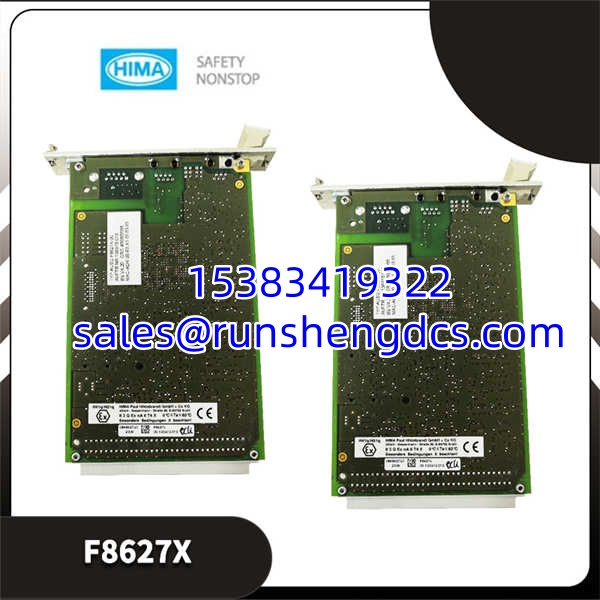
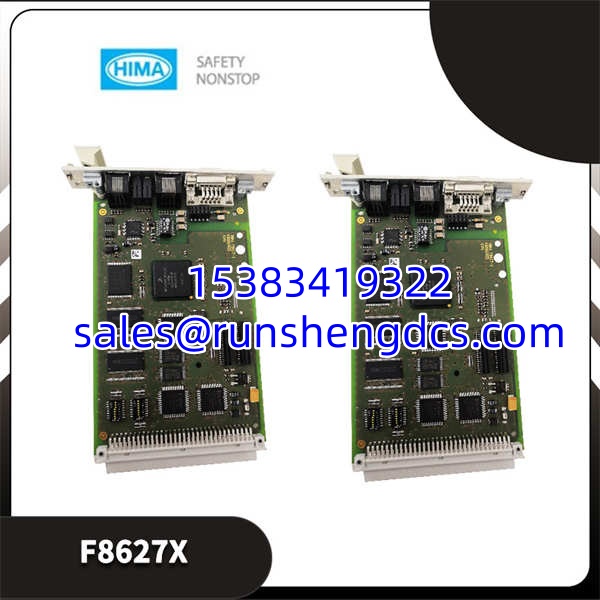
- Intake & Origin Verification — Confirm the label reads F8627X with order code 984862765. Check for HIMA branding, Germany origin marking, date codes, and revision stamps. Inspect the PCB for corrosion, lifted traces, or damaged Ethernet/serial connector pins.
- Visual & Mechanical Inspection — Verify the module slides cleanly into a compatible H41q or H51q rack slot without binding. Confirm the 3 HU × 4 WU form factor matches. Check that all connector faces are flat and undamaged.
- Live Functional Testing — Install the module in a powered HIMA test rack with a known-good F8650X or F8652X CPU. Confirm the CPU recognizes the comm module. Establish an Ethernet link and verify Modbus TCP register reads complete without timeout. Test OPC DA connectivity through HIMA OPC Server if available.
- Electrical Parameter Tests — Measure supply current draw with a calibrated multimeter (Fluke 87V or equivalent). Confirm it falls within expected range for this module type. Perform insulation resistance testing on RS-485 terminals per IEC 61010 practices.
- Final QC & Anti-Static Packaging — Clear any site-specific configuration to factory defaults if applicable. Package in ESD-safe bag with foam protection for connector faces. Include a test report documenting power-up status, Ethernet link establishment, Modbus TCP pass/fail, and current draw.
Field Engineer Gotchas
Gotcha #1: F8627X is not a CPU.
This is the most common procurement mistake. The is a communication module. The F8650X and F8652X are the safety CPUs. They look similar in the rack. I have seen purchase orders come back with the wrong module because someone typed “F8627” when they meant “F8652.” Double-check your BOM against the physical label on the failed module before hitting send.
Gotcha #2: Firmware version mismatch on ELOP programming.
ELOP-over-Ethernet programming requires firmware V4.1 or later on the CPU. If your CPU is running an older revision, the will establish a network link but the programming function will fail silently or time out. Check your CPU firmware version before assuming the comm module is broken.
Gotcha #3: SafeEthernet CRC failures masquerading as hardware faults.
Intermittent comm drops on the often trace back to cable quality, not the module itself. Unshielded or poorly terminated Ethernet cables in high-EMI environments will trigger CRC errors that look exactly like a failing comm card. Verify cable shielding, connector crimps, and separation from VFD power cables before condemning the hardware.
Gotcha #4: OPC DA server dependency.
OPC DA communication through the requires the HIMA OPC Server running on a connected PC. If the OPC server service crashes or the PC goes down, your DCS loses its data path — and the failure will appear as a comm module fault in the HIMA diagnostics. Always check the OPC server status before pulling the module.
HIMA F8627X
Application Scenarios
- Refinery emergency shutdown systems — Maintaining SafeEthernet communication between HIMA H51q safety controllers and the plant DCS for fire-and-gas detection integration, where Modbus TCP data integrity directly affects alarm response times.
- Oil and gas pipeline remote stations — Bridging H41q safety controllers at unmanned compressor stations to SCADA systems via ELOP-over-Ethernet, enabling remote diagnostics without physical site visits.
- Power plant boiler protection — Supporting communication between HIMA PES racks and auxiliary control systems managing steam drum level trips, furnace safeguard logic, and turbine overspeed protection.
Case Study (Anonymized): A chemical plant running HIMA H51q systems experienced intermittent Modbus TCP timeouts between the comm module and the plant DCS. The maintenance team replaced the module twice. Both replacements showed the same behavior within 48 hours. Root cause investigation revealed a 10/100BaseT cable running parallel to a 480V VFD feeder cable with no separation — EMI was corrupting Ethernet frames. Rerouting the cable with proper shielding eliminated the timeouts. The original was reinstalled and has run fault-free since. Lesson: check the physical layer before blaming the module.
FAQ
No. The is designed for the H41q and H51q third-generation PES platforms. HIMax uses a different hardware architecture and different communication modules. Do not attempt to install this module in a HIMax rack.
The is the updated version of the F8627, with added ELOP-over-Ethernet programming support (from V4.1). In most cases it is a direct replacement, but verify firmware compatibility with your CPU revision before ordering. The older F8627 and F8628 modules remain in the HIMA portfolio as well.
Does this module require a separate power supply?
No. The draws power from the H41q/H51q rack backplane. No external power wiring is needed for the module itself.
The handles SafeEthernet, Modbus TCP, OPC DA, and ELOP-over-Ethernet communication. The F8628X is a Profibus DP slave communication module that can be programmed over Ethernet. They serve different protocol needs and are not interchangeable. Match the module to your network architecture.
Is this module still manufactured by HIMA?
The circulates primarily through surplus and aftermarket channels as of available data. Contact HIMA directly with order code 984862765 to confirm current production status and any recommended successor modules.
If the CPU fails to recognize the module at all during rack initialization, suspect the module or the backplane slot. If the module is recognized but Ethernet links drop intermittently, check cables, terminations, and EMI sources first. If Modbus registers read correctly but OPC DA fails, the issue is likely on the PC/server side, not the module. Isolate the fault layer by layer before pulling hardware.