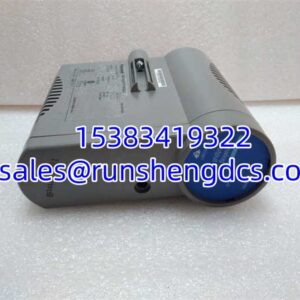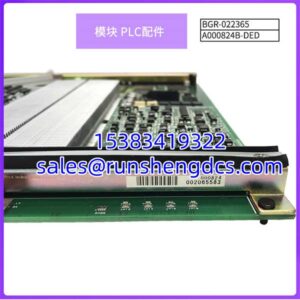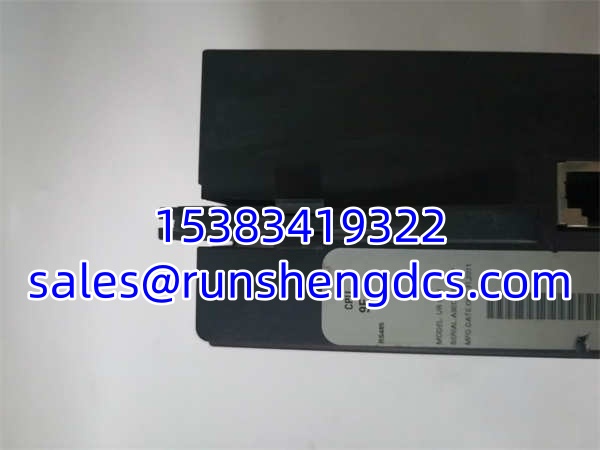

Description
Key Technical Specifications
- Product Model: UR9EH
- Manufacturer: GE Multilin
- Product Type: Universal Relay CPU Module
- Processor Generation: New Generation (9E to 9S series)
- Logic Engine: FlexLogic Equation Support
- Communication: Ethernet, RS-485, Modbus, DNP3
- Configuration: EnerVista UR Setup Software
- Mounting: Internal Relay Chassis (Vertical or Horizontal)
- Weight: ~1.0 – 1.9 kg (Varies by revision)
- Temp Range: -40°C to +70°C (Module Dependent)
- Compatibility: G30, G60, L30, D30, T30, etc.
Product Introduction
I’ve opened panels where the entire generator protection scheme hinged on a single GE UR9EH keeping the math straight. This isn’t just a card; it’s the brain of the UR relay. The GE UR9EH executes the differential algorithms, processes the FlexLogic equations, and manages the SCADA chatter. If this CPU hangs, your protection is just a paperweight.
Engineers stick with the GE UR9EH because it represents the “New Generation” of UR processing (post-9D). It handles the heavy lifting of modern protection logic without choking. The GE UR9EH supports the full FlexLogic suite, meaning you can build custom interlocks right inside the relay without external PLCs. Just be warned: this module is picky about its partners. If you pair a new GE UR9EH with an old CT/VT module, the relay will throw a DSP error and refuse to arm. Always check the revision compatibility matrix.
Quality SOP & Tech Pitfalls
The Lab Report:
I don’t trust “tested” stickers. Here is the actual protocol before a ships:
- Visual Inspection: Check the backplane connector for bent pins and the Ethernet port for damaged clips.
- Boot Test: We power it up on a test bench. It must pass POST and show “System Healthy” on the front panel.
- Comms Check: Ping the Ethernet port. Verify Modbus registers respond.
- FlexLogic Verify: Load a test equation. Force inputs. Verify outputs.
- ESD Seal: Anti-static bag, bubble wrap, box.
The Engineer’s Warning:
The #1 disaster with the is mixing generations. I’ve seen techs swap a CPU into a G60 and get a “DSP Error” because the CT/VT module was an old 9A/9C revision. The new 9E/9F CPUs require new generation CT/VT modules. Also, check the FlexLogic equations. If you’re replacing a failed CPU, the new one comes blank. You must have a backup of the relay settings. If you don’t, you’re looking at a full re-engineering weekend. Never open a live relay without a settings backup.
Installation & Configuration Guide
- Pre-Installation Safety: ⚠️ Lock out/tag out the relay control power. Wait 60 seconds. Take a photo of the existing CPU’s position and jumper settings.
- Removal: Release the internal retaining clips. Pull the straight out. Never lever against the backplane.
- Installation: Verify the slot assignment. The CPU usually goes in a specific slot (often Slot 1 or 2 depending on chassis). Seat the firmly. Tighten the front panel screws for ground.
- Power-On & Testing: Apply control power. Watch the boot sequence. Download the relay settings immediately. Verify the “System Healthy” LED. Check the Ethernet link light.
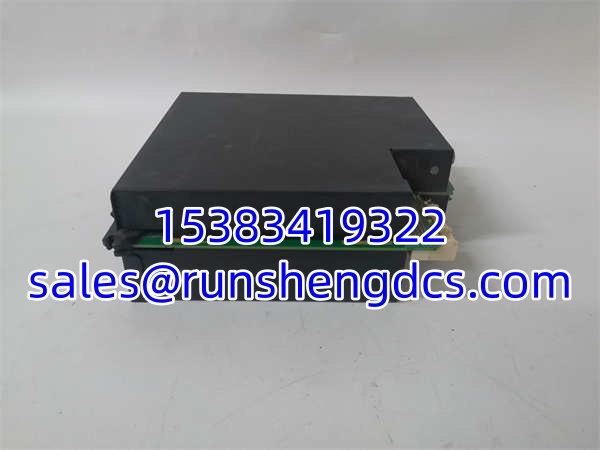
GE UR9EH
Compatible Replacement Models
- ✅ Drop-in: – Exact match. Verify generation (9E).
- ⚠️ Upgrade: GE UR9FH / UR9GH – Newer CPU revisions. Drop-in, but check release notes for FlexLogic changes. ~0 hrs labor.
- ❌ Legacy: GE UR9DH / UR9CH – Old generation CPUs. Do not use. Incompatible with new CT/VT modules.
Frequently Asked Questions (FAQ)
No. The UR9DH is an older generation CPU. It is not compatible with the newer CT/VT modules that the expects. You will get hardware mismatch errors.
My relay says “DSP Error” after swapping the CPU. Why?
You likely have a generation mismatch. The requires new-generation CT/VT modules. If your analog modules are old (9A/9C/9D), you need to replace them or downgrade the CPU (if possible). Check the module revision labels.
Is this module hot-swappable?
No. The UR backplane is not designed for hot-swapping the CPU. You risk corrupting the configuration or damaging the backplane. Power down, swap, power up, download settings.
Yes, but it depends on the license and firmware. The hardware supports it, but you might need to enable the server or purchase a license key. Check your relay’s “Licensing” menu in EnerVista.
Check the UR9FH or UR9GH. They are newer revisions and fully backward compatible. Just ensure your CT/VT modules are also new generation. If you have old analog modules, you’re stuck hunting for old CPUs or upgrading the whole chassis.
How do I know if my CPU is “New Generation”?
Look at the model number. 9E through 9S are new generation. 9A, 9C, 9D are old. The is definitely new gen. Always verify the label on the side of the module.