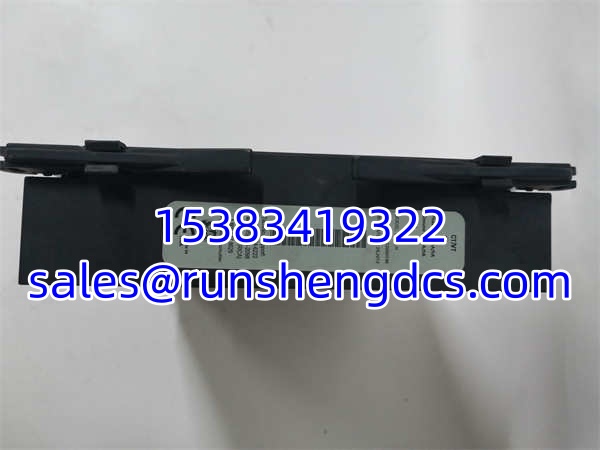
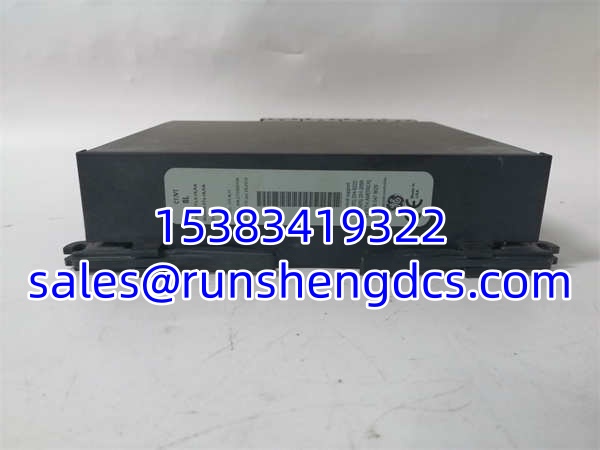

Description
Key Technical Specifications
| Parameter Name | Parameter Value |
|---|---|
| Product Model | GE UR8LH |
| Manufacturer | GE Multilin |
| Product Type | CT/VT Analog Input Module |
| Input Channels | 4 CT / 4 VT |
| Input Voltage Range | 100V to 1500V |
| Measurement Accuracy | ±0.5% Typical |
| Response Time | 10ms Time Constant |
| Diagnostics | Enhanced Signal Integrity Validation |
| Platform | GE Multilin UR Series |
| Installation | Standard 19″ Relay Cabinet |
| Weight | 2 kg |
| Configuration Tool | EnerVista UR Software / UR-Test |
Product Introduction
I’ve seen generator protection relays trip for no good reason because the analog input module couldn’t reject harmonic noise from a nearby variable-speed drive. The GE UR8LH is the CT/VT module designed to prevent that. It provides four current transformer and four voltage transformer inputs with advanced signal processing that filters out harmonics and validates signal integrity before passing data to the UR controller.
Engineers trust the GE UR8LH because it actually delivers on its ±0.5% accuracy spec across the full 100V to 1500V input range. The enhanced diagnostics don’t just report faults; they actively verify that the analog signals are legitimate using proprietary algorithms. My only advice: make sure you torque those CT terminal screws to exactly 0.5 Nm. I’ve seen intermittent signals that mimicked real faults because someone under-torqued them with a worn-out screwdriver.
Quality SOP & Tech Pitfalls
We don’t ship blind. Every GE UR8LH gets a visual inspection for cracked solder joints or corroded terminals first. Then it goes on the UR test rack where we inject precision CT/VT signals and verify the digital values match within spec. I use a Fluke 115 to check isolation resistance between channels and to the backplane. Firmware revision is logged, and the module is sealed in anti-static packaging.
Here is where people get burned: They skip the quarterly ventilation cleaning. I’ve watched techs replace perfectly good GE UR8LH modules because they thought the module was failing, when really the ventilation slots were clogged with dust and the card was thermally derating. Use compressed air only—never a brush. Also, always disconnect the VT before firmware updates. I once saw a phantom voltage issue during a reboot because someone didn’t follow that procedure. It fried the input stage.
Installation & Configuration Guide
- Pre-Installation: ⚠️ SAFETY FIRST. De-energize the CT and VT circuits. Verify zero energy. Take a photo of the old module’s wiring and jumper settings. Ensure at least 50mm clearance on both sides for cooling.
- Removal: Label every wire. Release the backplane connector gently. If it sticks, don’t pry. You’ll strip the backplane pins.
- Installation: Torque all CT screws to exactly 0.5 Nm. This prevents 90% of intermittent signal issues. Align the GE UR8LH and press firmly until fully seated. Reconnect wires per your photo.
- Power-On & Testing: Restore power. Watch the module LED. It should go green within 30 seconds. Use EnerVista UR software to verify all 8 channels are reading correctly. Run a calibration check using UR-Test software annually.
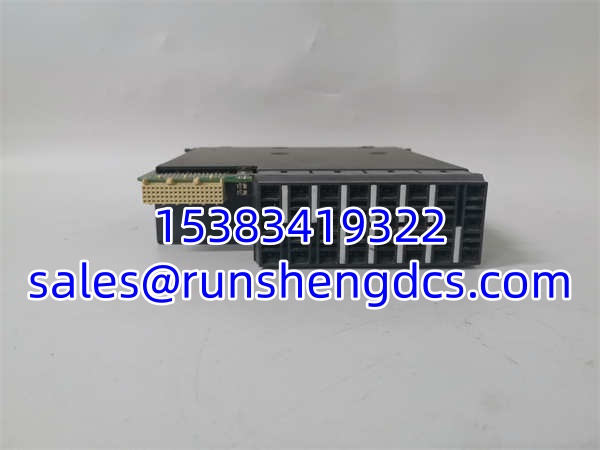
GE UR8LH
Compatible Replacement Models
- ✅ Drop-in Replacement: (Exact match. Direct swap. Verify revision letter for firmware dependencies.)
- ⚠️ Software Compatible: GE UR8HH (Same family, but verify CT/VT channel count and diagnostic features. May require logic recompile. Budget 2 hours for verification.)
- ❌ Hardware Mod Required: Non-UR8 Series (Different backplane, different pinout. Do not attempt to adapt. Requires full relay upgrade.)
Frequently Asked Questions (FAQ)
Can I hot-swap this module?
No. The handles live CT/VT signals. Pulling it while energized will arc and potentially damage the backplane. De-energize first.
My CT input is reading zero but the sensor is good. What now?
Check the CT screw torque. The requires exactly 0.5 Nm. If that’s correct, verify the CT wiring isn’t open. The enhanced diagnostics should flag this, but sometimes a loose connection sits right at the threshold.
Does this module support redundancy?
Yes. The can be configured in a redundant pair where two modules provide backup for each other. Check your UR relay configuration manual for the exact setup procedure.
What does the enhanced diagnostics actually do?
It runs proprietary algorithms to validate signal integrity in real-time. If the detects a signal that doesn’t match expected characteristics, it flags it before it causes a false trip. This is critical in wind farms and plants with VFDs.
Is this the same as the UR8HH?
They are in the same Multilin UR family, but the and UR8HH have different channel configurations and diagnostic capabilities. Always verify the exact model number against your existing hardware.
How do I know if it’s actually dead?
If you have power to the relay, the module LED is off or red, and the UR software shows a “Module Missing” or “Analog Input Fault,” it’s likely dead. Check the backplane connector for bent pins first.
Does this come with a warranty?
Yes, it includes a 1-year warranty. If you burn it out because you didn’t disconnect the VT during a firmware update, that’s on you. Always follow the OEM procedures.