Description
Key Technical Specifications
| Parameter Name | Parameter Value |
|---|---|
| Product Model | GE UR6UH |
| Manufacturer | GE (General Electric) |
| Product Type | Digital I/O Module |
| Digital Inputs | 24 Channels |
| Digital Outputs | 16 Channels |
| Architecture | 16-bit |
| Platform | Multilin 6U Series |
| Application | Machine & Process Control |
| Installation | Multilin 6U Rack |
| Data Processing | High-Speed Sampling |
Product Introduction
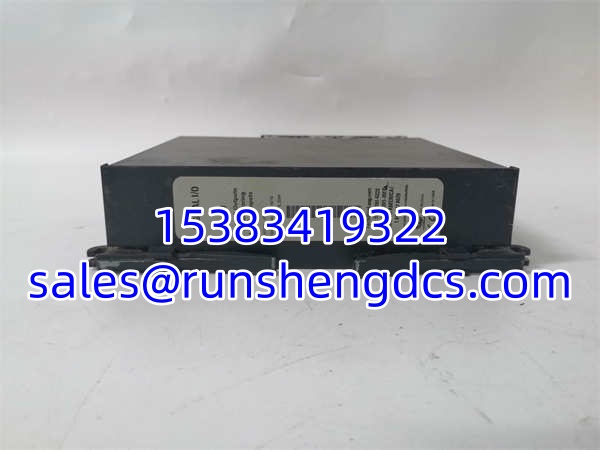
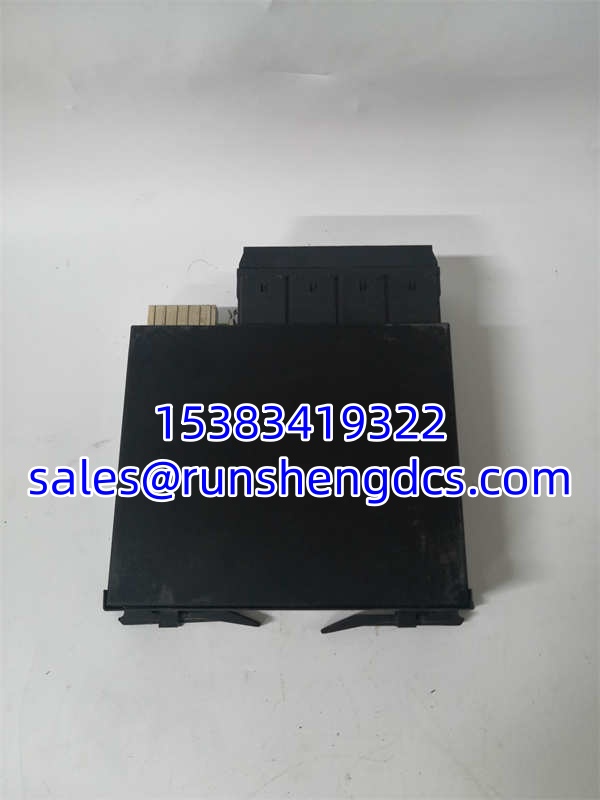
I’ve seen entire generator protection schemes fail because a cheap I/O card couldn’t handle the electrical noise from a nearby breaker operation. The GE UR6UH is the digital I/O module designed to prevent that. It plugs directly into the Multilin 6U controller, providing 24 digital inputs and 16 digital outputs to interface with field devices like relays, switches, and annunciators.
Engineers specify the GE UR6UH because it actually delivers on its specs. The 16-bit architecture and high-speed sampling ensure that fast-changing signals are captured accurately, not missed between scan cycles. It’s built for the harsh electrical environment of power generation, with proper isolation and filtering. Just be careful with the backplane connector; I’ve seen bent pins from rushed installations.
GE UR6UH
Quality SOP & Tech Pitfalls
We don’t ship blind. Every GE UR6UH gets a visual inspection for cracked solder joints or corrosion first. Then it goes on the Multilin test rack where we force each input and verify the output state. I use a Fluke 115 to check isolation resistance between channels and to the backplane. Firmware revision is logged, and the module is sealed in anti-static packaging.
Here is where people get burned: They forget to check the input voltage rating. I’ve watched techs fry three GE UR6UH modules in a row because they assumed all DI channels were 125VDC, but some were 24VDC. Always verify the channel grouping. Also, don’t ignore the output type. The GE UR6UH uses relay outputs. If you’re switching inductive loads without snubbers, you’ll weld the contacts shut in months.
Installation & Configuration Guide
- Pre-Installation: ⚠️ SAFETY FIRST. Power down the Multilin 6U controller. Wait 60 seconds for backplane capacitors to discharge. Take a photo of the old module’s wiring and any jumper settings.
- Removal: Label every wire. Release the backplane connector gently. If it sticks, don’t pry. You’ll strip the backplane pins.
- Installation: Copy all jumper settings exactly. This prevents 90% of startup failures. Align the and press firmly until fully seated. Reconnect wires per your photo.
- Power-On & Testing: Restore power. Watch the module LED. It should go green within 30 seconds. Force a test output and verify with a multimeter. Check that all inputs read correctly in the Multilin software.
GE UR6UH
Compatible Replacement Models
- ✅ Drop-in Replacement: (Exact match. Direct swap. Verify revision letter for firmware dependencies.)
- ⚠️ Software Compatible: GE UR6NH (Same family, but verify input voltage ratings and output type. May require logic recompile. Budget 2 hours for verification.)
- ❌ Hardware Mod Required: Non-UR6 Series (Different backplane, different pinout. Do not attempt to adapt. Requires full controller upgrade.)
Frequently Asked Questions (FAQ)
Can I hot-swap this module?
No. The is not designed for hot-swapping in the Multilin 6U rack. Pulling it live can cause backplane glitches and corrupt the controller’s I/O map. Shut it down.
My input is reading ON when it should be OFF. What’s wrong?
Check for ground loops or induced voltage. The has good filtering, but if you’re running DI wires parallel to VFD cables, you’ll pick up noise. Shield your wiring and check your grounding.
Does this module provide loop power?
No. The digital inputs are dry contacts or voltage-sensing only. You must provide external power for your field devices. The outputs are relay contacts, so they also don’t source power.
What does the fault LED mean?
It means the module has detected an internal fault or a backplane communication error. Pull the module, reseat it, and power cycle. If the fault persists, the module is likely dead. Check the backplane connector for bent pins.
Is this the same as the UR6NH?
They are in the same Multilin 6U family, but the and UR6NH have different input voltage ratings and possibly different output types. Always verify the exact model number against your existing hardware.
How do I know if it’s actually dead?
If you have power to the rack, the module LED is off or red, and the controller shows a “Module Missing” fault, it’s dead. If the LED is green but the controller can’t communicate, check the backplane connector.
Does this come with a warranty?
Yes, it includes a 1-year warranty. If you burn it out because you wired 240VAC to a 24VDC input, that’s on you. Always double-check your voltage before energizing.