
Description
Key Technical Specifications
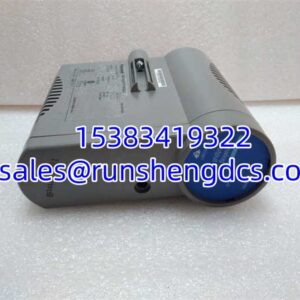
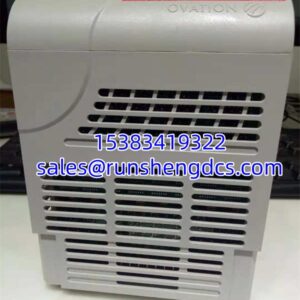
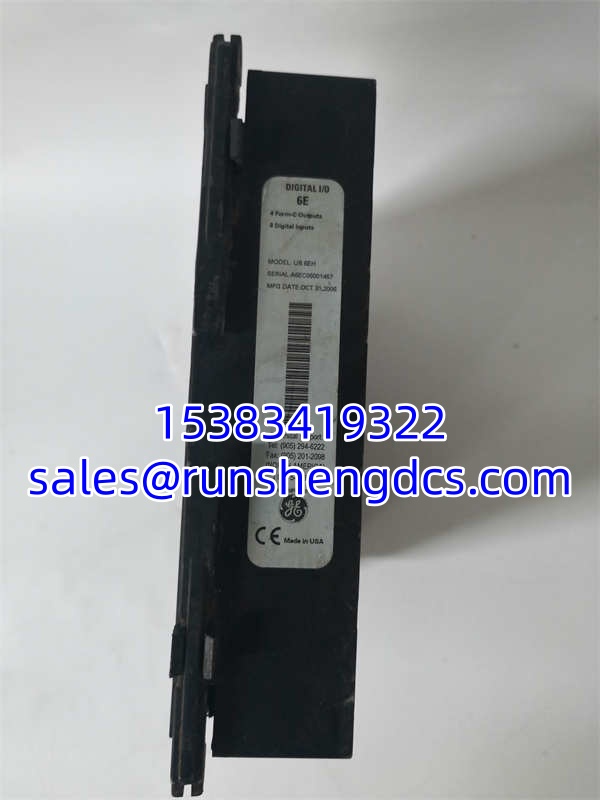
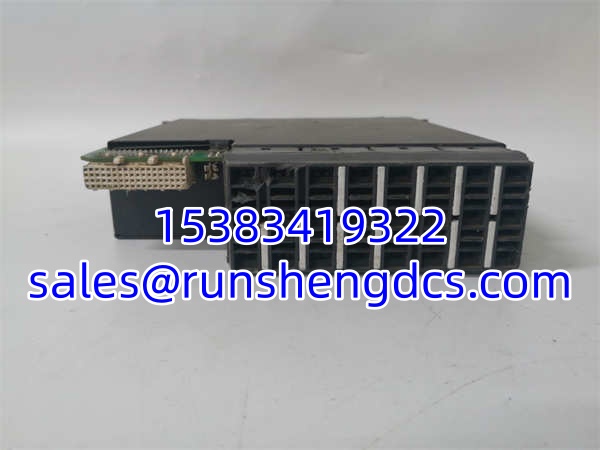
- Product Model: UR6EH (UR-6EH)
- Manufacturer: GE Multilin
- Product Category: Digital I/O Input Output Module
- Digital Inputs: 8 Contact Inputs
- Digital Outputs: 4 Form-C (SPDT) Relay Outputs
- Operating Voltage: 18.5 to 36 VDC
- Ambient Temperature: 0°C to 60°C
- Humidity: 5% to 95% Non-condensing
- Data Capacity: 16 MB
- Physical Weight: 0.29 kg (Module only)
- Product Certification: UL Listed
- Mounting: Control Room / Relay Chassis Slot
Product Introduction
When you’re protecting a million-dollar transformer or a critical generator, you can’t afford to have your protection relay blind to the physical state of your breakers and disconnects. The GE UR6EH is the digital I/O expansion module that gives your UR series Universal Relay the eyes and hands it needs. It slots directly into the Multilin UR chassis, providing 8 digital inputs to monitor field statuses and 4 Form-C relay outputs to execute control commands or trigger alarms.
I’ve deployed these in substations where space is tight and reliability is non-negotiable. The UR6EH handles the dirty work of interfacing with external contacts while the main relay processor handles the complex protection logic. The Form-C outputs are particularly useful because they give you both normally-open and normally-closed contacts in a single output, saving panel space and wiring time. Just make sure your UR chassis has the available slot and that your firmware supports the 6E order code configuration.
Quality SOP & Tech Pitfalls
The Lab Report:
Every UR6EH gets a thorough visual inspection for cracked solder joints, corroded relay contacts, or damaged backplane pins. We mount it in a test UR chassis, apply 24V DC, and verify that all 8 digital inputs register correctly when shorted. We then force each of the 4 Form-C outputs and use a multimeter to confirm proper NO/NC switching and contact resistance. Finally, it gets sealed in anti-static packaging with desiccant.
The Engineer’s Warning:
Here is the most common mistake: Do not assume all UR I/O modules are interchangeable. The “6E” in UR6EH specifically denotes 8 inputs and 4 Form-C outputs. If you swap this with a different UR I/O card (like a 6TH or 9AH), your relay configuration will be completely wrong and you could lose protection functionality. Always verify the exact order code on the card faceplate. Also, photograph the jumper settings before pulling the old module; some UR I/O cards have hardware address jumpers that must match.
Installation & Configuration Guide
- Pre-Installation Safety: ⚠️ BYPASS PROTECTION LOGIC FIRST. This module interfaces with protection relays. You must bypass or block associated protection functions before removal to prevent spurious trips. Take a photo of the existing wiring and jumper settings. Do not skip this.
- Removal: Label all input and output wires. Release the module retention mechanism. Pull the UR6EH straight back; do not wiggle or force it, as the backplane connectors are precision-machined.
- Installation: MATCH ALL JUMPER SETTINGS. This prevents 90% of startup failures. Slide the new into the exact same slot, ensuring full backplane engagement. Re-terminate wires to the same terminals.
- Power-On & Testing: Restore control power. Check the relay front panel or software for module recognition and fault codes. Verify all 8 digital inputs read correctly in the relay’s I/O monitoring menu. Force each Form-C output and confirm proper switching at the field device.
GE UR6EH
Compatible Replacement Models
| Model | Compatibility Tier | Notes |
|---|---|---|
| ✅ Drop-in Replacement | Exact hardware/firmware match. Verify 6E order code. | |
| UR-6EH | ✅ Drop-in Replacement | Same module, alternate part number formatting. |
| UR6TH | ❌ Hardware Mod Required | Different I/O configuration. Not a direct swap. Requires relay reconfiguration. |
Frequently Asked Questions (FAQ)
Can I hot-swap this module while the relay is energized?
No. The does not support hot-swapping. Removing it while the relay is powered can cause communication errors on the backplane and potentially trigger false protection operations. Schedule a maintenance window and bypass protection logic first.
What does the “6E” order code mean?
The “6E” specifically identifies this as a digital I/O module with 8 digital inputs and 4 Form-C outputs. Other UR I/O modules have different codes (like 6TH, 9AH, etc.) that indicate different input/output configurations. Always match the exact code.
Why isn’t my relay recognizing this module after installation?
Check the backplane seating and jumper settings. The must be fully seated in the chassis. Also verify that the relay firmware supports this specific I/O module type. Some older UR firmware revisions may require an update to recognize newer I/O cards.
Can I use this module with non-UR series relays?
No. The is designed exclusively for the GE Multilin UR series Universal Relay platform. It uses a proprietary backplane interface and communication protocol that is not compatible with other GE relay families or third-party protection systems.
What voltage do the digital inputs accept?
The digital inputs are typically configured for 24V DC or 48V DC contact inputs, depending on the relay configuration. Verify your input voltage rating in the relay settings before connecting field devices. Applying incorrect voltage can damage the input circuits.
Are the Form-C outputs rated for high current?
The Form-C relay outputs on the are typically rated for 2A at 250VAC or 30VDC. They are designed for control and signaling, not for directly switching high-power loads. Use interposing relays if you need to switch higher currents.