
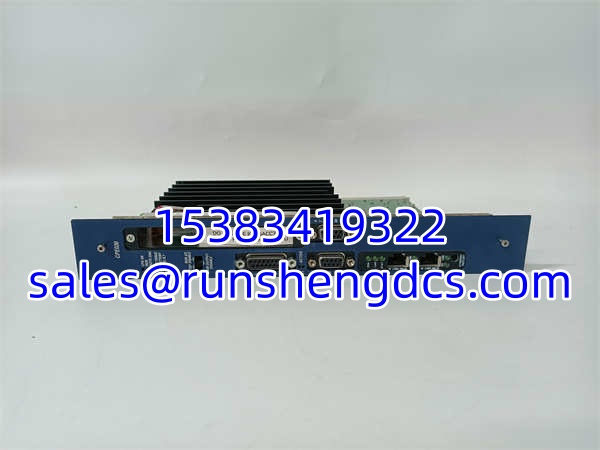
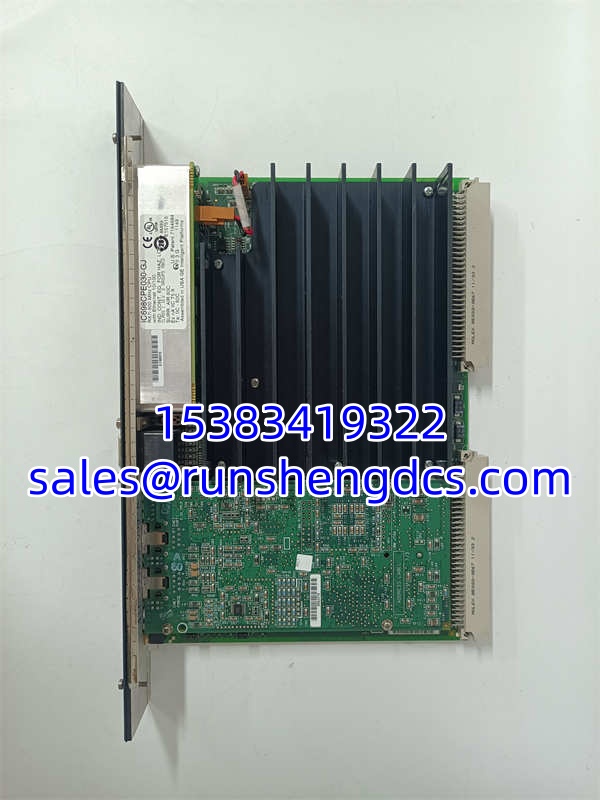

Description
Key Technical Specifications
| Parameter Name | Parameter Value |
|---|---|
| Product Model | IC698CPE030-GJ |
| Manufacturer | GE Fanuc / Emerson Automation |
| Product Type | PACSystems RX7i CPU Module |
| Processor | 600 MHz Intel Pentium-M |
| User Memory | 64 MB RAM / 64 MB Flash |
| Bus Interface | VME64 Backplane |
| Embedded Ethernet | Dual 10/100Base-TX (RJ-45) |
| Serial Ports | 3 Isolated (RS-232, RS-485, Station Mgr) |
| Supported Protocols | SRTP, Modbus TCP, SNP, Serial I/O |
| Operating Voltage | +5V DC, +12V DC (Backplane) |
| Operating Temperature | 0°C to 60°C |
| Max Program Blocks | 512 Blocks (128 KB Max per block) |
Product Introduction
When your plant relies on a VME64 backplane and you need serious processing muscle, the GE IC698CPE030-GJ is the workhorse that gets the job done. Built for the PACSystems RX7i platform, this CPU packs a 600 MHz Pentium-M processor and 64 MB of user RAM. I’ve seen these modules handle massive, complex control algorithms in heavy manufacturing without breaking a sweat. It’s an absolute beast for legacy systems that still demand high performance and deterministic control.
What makes the IC698CPE030-GJ a field favorite is its integrated communication. You get dual 10/100 Ethernet ports and three isolated serial ports right on the board. That means you can run SRTP and Modbus TCP simultaneously without burning up your I/O slots with extra comm cards. Just a heads-up from the trenches: this module runs hot. If you’re stuffing it in a packed control cabinet, make sure your cooling fans are actually moving air, or it will thermal-trip on a scorching July afternoon.
Quality SOP & Tech Pitfalls
The Lab Report (SOP):
I don’t trust a CPU until it’s been pushed to its limits. Every IC698CPE030-GJ goes through a brutal QA process. We start with a visual inspection to check for counterfeit chips or cold solder joints. Then, it gets racked in a live RX7i test chassis for a 24-hour burn-in. We use a Fluke 115 to verify backplane voltage tolerances and insulation resistance. We log the firmware version, force a memory stress test, and seal it in anti-static packaging.
The Engineer’s Warning (Pitfalls):
Firmware version mismatches are the silent killer of RX7i upgrades. I once spent 12 hours at a water treatment plant because a tech dropped a newer IC698CPE030-GJ into a rack running ancient firmware. The CPU booted, but the backplane refused to recognize the legacy I/O cards. Always verify your firmware compatibility matrix before swapping. Also, never underestimate static electricity. The Pentium-M processor on this board is highly sensitive to ESD. If you aren’t wearing a grounded wrist strap when handling it, you’re playing Russian roulette with a $5,000 card.
Installation & Configuration Guide
- Pre-Installation: ⚠️ Power down the RX7i chassis and wait 5 minutes for backplane capacitors to discharge. Take high-res photos of the existing CPU’s DIP switches, jumper settings, and Ethernet cabling.
- Removal: Disconnect the Ethernet and serial cables. Pull the top and bottom ejector levers outward to release the VME64 connectors. Slide the module straight out. Never force it.
- Installation: Verify and copy all DIP switch and jumper settings from the old CPU to the new IC698CPE030-GJ. This prevents 90% of backplane communication errors. Align the module with the top and bottom guides, push firmly, and lock the ejector levers to seat the VME pins.
- Power-On & Testing: Restore chassis power. Watch the RUN and ERROR LEDs. The CPU should boot within 30 seconds. Connect via Proficy Machine Edition, verify the firmware version, and check the hardware configuration table to ensure all I/O modules are recognized before taking the system online.
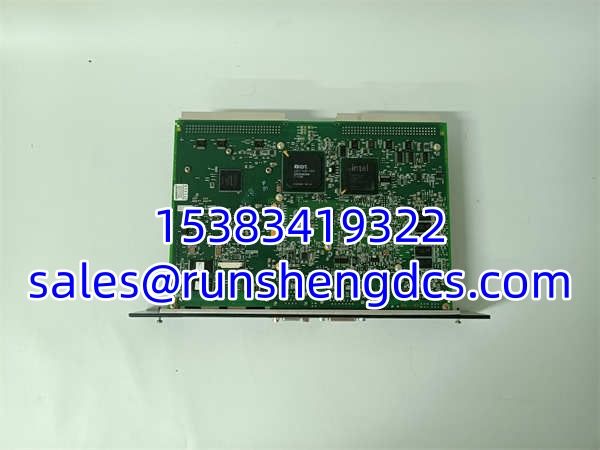
GE IC698CPE030-GJ
Compatible Replacement Models
| Model | Compatibility Tier | Notes |
|---|---|---|
| ✅ Drop-in Replacement | Exact match. Verify firmware revision before swapping. | |
| IC698CPE040 | ⚠️ Software Compatible | 1.8 GHz Pentium-M upgrade. Same form factor, but requires logic recompile and more backplane power. Budget 4-6 hours. |
| IC698CPE030 | ⚠️ Software Compatible | Base model without the -GJ suffix. Check OEM datasheet for minor hardware revision differences. |
| IC697CPE781 | ❌ Hardware Mod Required | Older 90-70 series CPU. Requires entirely new backplane and rewiring. Do not use as a direct drop-in. |
Frequently Asked Questions (FAQ)
Can I hot-swap this CPU while the RX7i rack is powered?
Absolutely not. The VME64 backplane does not support hot-swapping CPUs. Pulling this module while powered will arc the backplane pins and potentially fry your I/O cards. Plan a controlled maintenance window.
Why is my new stuck in STOP mode?
Check your DIP switches first. If the hardware configuration switches don’t match what Proficy Machine Edition expects, the CPU will fault. Also, verify that your 5V backplane power supply isn’t sagging. These CPUs pull significant current during boot, and a weak power supply will cause a brownout.
Does this module support battery-backed RAM?
No, and that’s a good thing. The uses non-volatile flash memory for user data and programs. You don’t have to worry about replacing a dead battery and losing your logic at 2 AM. It retains memory indefinitely without power.
What’s the difference between the 030 and the 040?
The IC698CPE040 uses a 1.8 GHz Pentium-M compared to the 030’s 600 MHz. Both have 64 MB of RAM. Unless your scan times are critically slow or you’re doing heavy floating-point math, the 030 is usually plenty. The 040 also draws more power, so verify your power supply can handle it.
Is the -GJ suffix important for compatibility?
Yes. The suffix indicates the hardware revision and regional compliance. While functionally identical in most cases, mixing different suffixes in a redundant pair or an existing rack can sometimes cause backplane handshake issues. Try to match the full ordering code whenever possible.




