
Description
Key Technical Specifications
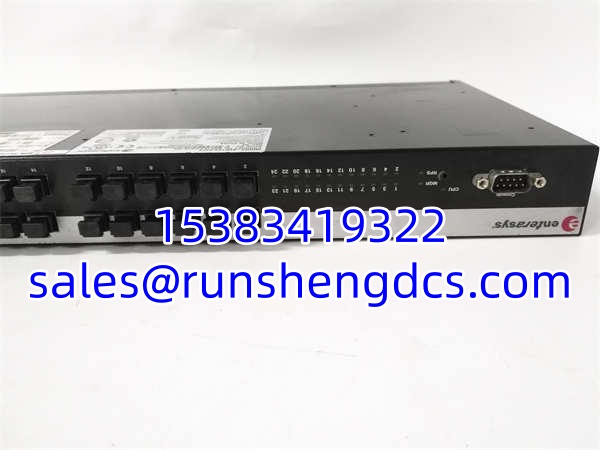
- Product Model: A4H124-24FX
- Manufacturer: Enterasys Networks / Invensys
- Product Type: 24-Port Managed Fast Ethernet Fiber Switch
- Port Configuration: 24x 100BASE-FX SC Multi-mode Fiber
- Switching Capacity: 12.8 Gbps
- Forwarding Rate: 9.5 Mpps
- MAC Address Table: 16K Entries
- VLAN Support: IEEE 802.1Q (Up to 4096 VLANs)
- Management: SNMP v1/v2c/v3, CLI, Web UI, RMON
- Power Input: 100-240V AC, 50/60Hz
- Operating Temperature: 0°C to +50°C
- Mounting: 1U Standard Rack Mount
Product Introduction
Electrical noise in industrial environments kills standard copper Ethernet links. The Enterasys A4H124-24FX solves this by providing 24 dedicated 100BASE-FX SC fiber ports, completely galvanically isolating your control network from ground loops and EMI. Sitting in the A4 SecureStack family, this switch isn’t just a media converter; it’s a fully managed Layer 2 device that brings VLAN segmentation, QoS, and RSTP to your fiber backbone.
Engineers specify the Enterasys A4H124-24FX because it delivers 12.8 Gbps of non-blocking switching capacity with 16K MAC entries, ensuring deterministic performance even when all ports are saturated. The SC fiber connectors provide a secure, latch-positive connection that won’t vibrate loose in high-vibration panels. Bottom line — if you’re seeing CRC errors on copper links near VFDs or motor drives, this fiber switch is the definitive fix, but verify your fiber type (multi-mode vs. single-mode) before ordering.
QA/QC Transparency SOP
We don’t just wipe the dust off and ship these. Every Enterasys A4H124-24FX goes through a strict validation process:
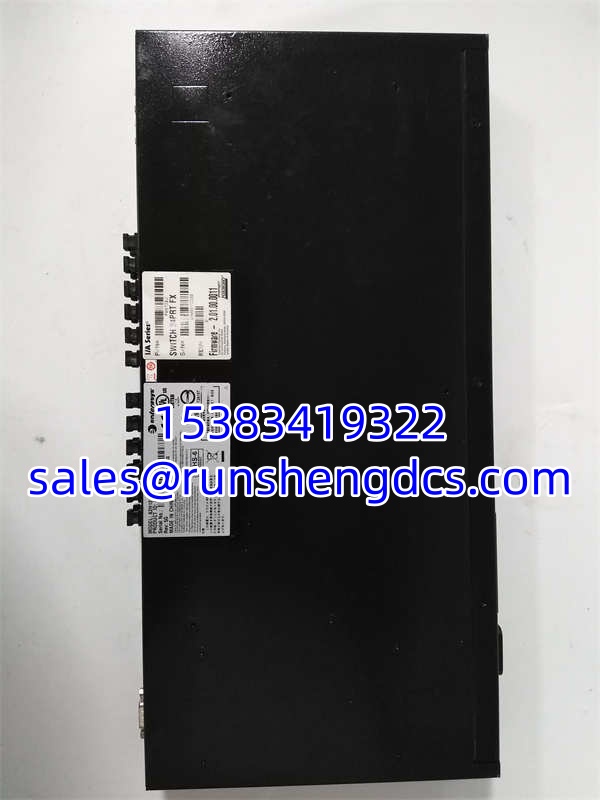
- Intake & Origin Verification: We verify the P0973JN part number and physical layout to ensure it is a genuine Enterasys board, filtering out generic OEM clones.
- Live Functional Testing: The switch is powered up and connected to a fiber test bench. We verify link-up on all 24 SC ports, check for CRC errors under load, and confirm management interface access via CLI/Web.
- Electrical Parameter Tests: We use a Fluke 115 to verify AC input tolerance and check for excessive heat generation on the internal power supply capacitors, a common failure point in aged switches.
- Firmware/Config Verification: We read the current firmware version and back up any existing configuration before performing a factory reset to ensure a clean slate for deployment.
- Final QC & Anti-Static Packaging: After passing all tests, the Enterasys A4H124-24FX is sealed in an ESD-safe bag with desiccant to prevent moisture ingress during transit.
Field Engineer Gotchas
- Fiber Type Mismatch: The A4H124-24FX uses 100BASE-FX, which is strictly multi-mode fiber. I’ve seen techs try to plug single-mode SFPs or patch cables into these SC ports and wonder why there’s no link. Verify your fiber plant is 62.5/125 or 50/125 multi-mode before installation.
- SC Connector Polarity: Unlike modern LC connectors, SC duplex pairs can be plugged in with TX/RX reversed if the clip orientation is ignored. If the link LED is off but the fiber is good, flip the duplex connector. The Enterasys does not have auto-MDI/MDIX on the fiber ports.
- Power Supply Capacitor Aging: These switches are 15-20 years old. The internal electrolytic capacitors are prone to drying out. If the Enterasys fails to power on or reboots randomly under load, the power supply is likely degraded. Always perform a visual inspection of the caps through the ventilation slots.
- Management Lockout: Previous owners may have set a password or restricted SNMP communities. If you can’t access the CLI or Web UI, perform a hard factory reset using the recessed button on the front panel (hold for >10 seconds during boot). Don’t waste time trying to brute-force the old config.
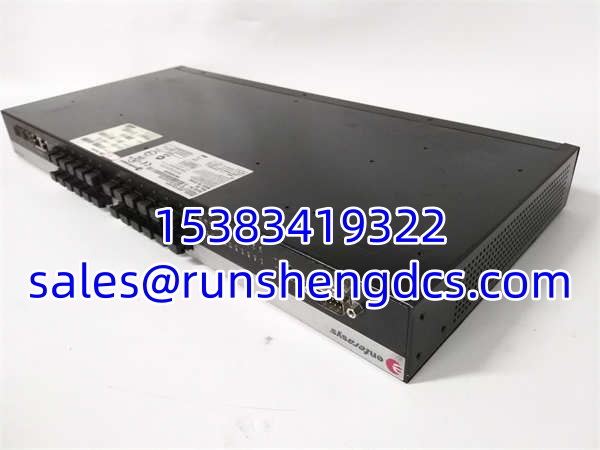
Enterasys A4H124-24FX
Application Scenarios
- Power Substation Automation: Connecting protective relays and RTUs over fiber to eliminate ground potential rise (GPR) risks during fault conditions.
- Rail Signaling Systems: Providing noise-immune communication between wayside equipment and control centers in high-EMI traction environments.
- Steel Mill Process Control: Linking PLCs and HMIs across long distances in electrically noisy rolling mill areas where copper would fail within weeks.
FAQ
Can I use single-mode fiber with this switch?
No. The Enterasys is designed exclusively for 100BASE-FX multi-mode fiber (typically 62.5/125µm or 50/125µm). Single-mode fiber will not establish a link due to core size and wavelength mismatches.
Yes. P0973JN is the manufacturer’s internal part number for the . They refer to the exact same hardware. Always verify the full model string on the front label to ensure you’re getting the 24-port FX variant and not the 24T copper version.
How do I reset the password if I’m locked out?
Locate the recessed reset button on the front panel. With the switch powered on, press and hold the button for at least 10 seconds until the SYS LED flashes. This restores factory defaults, including the default IP (usually 192.168.1.1) and admin credentials.
Does this switch support PoE?
No. The is a pure fiber switch with no Power over Ethernet capability. If you need PoE, you’ll need to use a separate PoE injector or a different model like the A4H124-24P (which is copper, not fiber).
What is the maximum distance for 100BASE-FX on this switch?
Up to 2km over multi-mode fiber, depending on the fiber quality and connector count. For distances beyond 2km, you would need single-mode media converters, but this switch itself is limited to multi-mode.
Can I stack this switch with newer Enterasys models?
Stacking is limited to other A4 series switches with compatible stacking modules. The does not have dedicated stacking ports; stacking is typically done via high-speed uplink ports. Verify stacking compatibility in the A4 hardware guide before attempting to mix generations.