
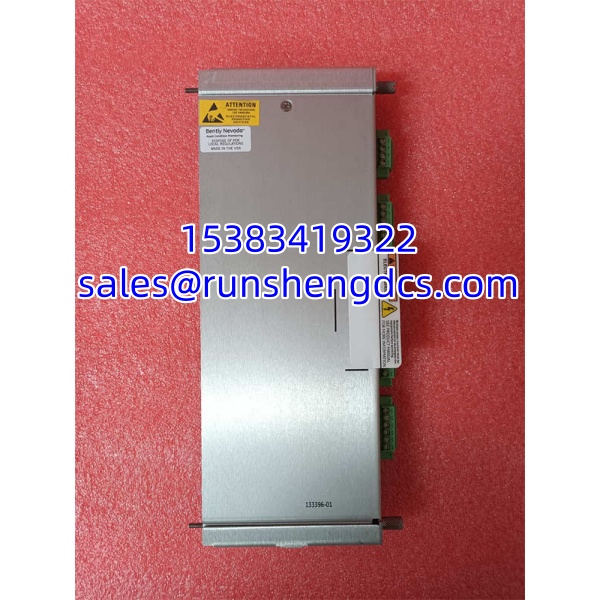

Description
Key Technical Specifications
| Parameter | Value |
|---|---|
| Part Number | 133396-01 |
| Product Family | 3500/93 System Display |
| Platform | Bently Nevada 3500 Machinery Protection System |
| Display Type | VGA with touchscreen |
| Mounting Options | Face mount, panel mount, 19-inch EIA rack, standalone |
| Displays per Rack | Up to two |
| Typical Power Consumption | ~5.6 W for 133396-01 display unit; ~15.5 W combined with display interface module |
| Data Shown | Channel values, alarms, events, trend/status data |
| Communication | Via 3500 rack display interface / TDI connection |
| Approx. Dimensions | ~200 × 200 × 100 mm |
| Approx. Weight | ~0.55 kg |
Product Introduction
The hardest part of keeping a 3500 rack alive is not the monitoring modules — it is finding a working local display that actually talks to the rack. The Bently Nevada 133396-01 fills that gap. It is the 3500/93 system display used to view channel readings, alarm states, and event history directly at the rack without pulling a laptop or relying solely on DCS integration.
This unit connects to the 3500 rack through the display interface path, typically associated with the 3500/22 RIM or 3500/22M TDI. It supports touchscreen operation, custom display pages, and alarm visualization, which helps operators and instrument techs confirm trip logic, acknowledge alarms, and check channel health during rounds. With a typical power draw around 5.6 W for the -01 display unit and support for up to two displays per rack, it remains a practical local HMI for legacy 3500 installations.
QA/QC Transparency SOP
- Intake & Origin Verification: Confirm part number 133396-01, model label, serial number, and revision. Inspect for cracked bezel, damaged touchscreen, corrosion, missing mounting hardware, or replaced labels.
- Live Functional Testing: Power the display and verify boot sequence. Confirm touchscreen response, menu navigation, backlight uniformity, and VGA display integrity. Test communication with a compatible 3500 rack or test bench.
- Electrical Parameter Tests: Measure supply voltage, current draw, and power consumption against expected values. Check for ground faults, loose connectors, and abnormal heating during extended operation.
- Firmware/Config Verification: Read display firmware revision and compatibility with the target 3500/22 or 3500/22M configuration. Record revision data and verify alarm/event display behavior.
- Final QC & Anti-Static Packaging: Label with test date, firmware revision, and pass/fail status. Pack in ESD-safe materials with protective covering for the touchscreen and mounting flange.
Field Engineer Gotchas
Wrong 3500 interface module. The 133396-01 does not talk directly to the field sensors. It depends on the rack communication path. If the 3500/22 or 3500/22M is misconfigured, the display may power up but show no channel data. Solution: verify rack firmware and display interface settings before blaming the HMI.
Display shows power but no data. A blank or frozen channel screen is often a communication issue, not a dead display. Solution: check the display cable, rack slot configuration, and whether the 3500/22M TDI is properly serving display traffic.
Touchscreen calibration drift. Older touchscreens can develop offset or unresponsive zones. Solution: recalibrate if the menu allows, or replace the unit if touch zones fail across multiple corners.
Power budgeting mistakes. Some listings quote 15.5 W, but that figure typically includes the display interface module. The -01 display unit alone is closer to 5.6 W. Solution: confirm which power figure applies to your wiring and PSU sizing.
Mounting confusion. This display can be face-mounted, panel-mounted, rack-mounted, or standalone. Installing it without the correct bracket kit wastes time. Solution: verify the mounting hardware before cutting panel openings.
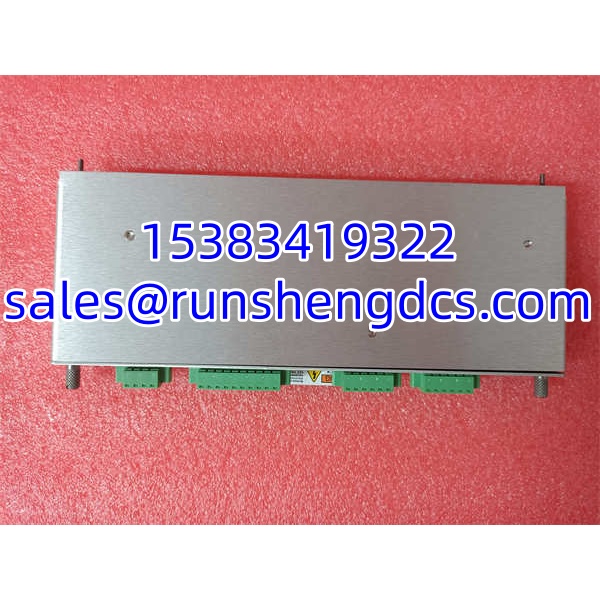
Bently Nevada 133396-01
Application Scenarios
Steam turbine control room monitoring. Operators need a local view of vibration, axial position, and differential expansion without opening the DCS historian. The 133396-01 provides a rack-side screen for quick alarm verification during startup and trip testing.
Compressor skid commissioning. During commissioning, technicians use the display to confirm sensor scaling, alarm setpoints, and channel bypass status. It reduces dependency on a laptop running Asset Condition Management software.
Legacy 3500 rack refurbishment. Plants replacing failed displays on older 3500 racks often need 133396-01 units to restore local visibility. It keeps the rack readable for operations while migration plans are still pending.
Case note: A refinery turbine rack showed valid channel alarms on the DCS but nothing on the local display. The 3500/22M had been replaced during a turnaround, and the display interface configuration was not restored. The 133396-01 was functional; the rack just was not serving display data. Once the TDI display settings were re-enabled, the screen returned to normal.
FAQ
Is 133396-01 still in production?
No. It is a legacy 3500/93 display. Supply is typically surplus, refurbished, or unused old stock.
Can I use it on a new 3500 rack?
It can work if the rack firmware and interface module support it, but newer installations may favor updated display options. Verify compatibility with the 3500/22 or 3500/22M before ordering.
Does it replace the 3500/94 or 3500/95?
Not directly. The 3500/93, /94, and /95 are different display variants. Confirm the exact replacement allowed by your rack configuration.
How many displays can one rack support?
Up to two displays per 3500 rack, depending on configuration and interface module capability.
Does it need a separate power supply?
It is powered through the 3500 rack/display interface arrangement. Confirm wiring and power allocation for your specific rack setup.
Will any 133396 revision drop in?
Not necessarily. Firmware and hardware revisions should match the existing rack. Always record the old unit revision before removal.
Can it show trend data?
It can display channel values, alarms, and event/status information. Detailed trend analysis is usually handled by System 1 or the plant historian.




