
Description
Key Technical Specifications
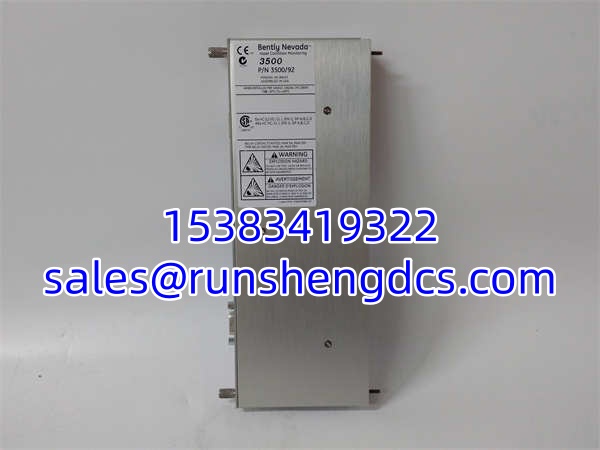
- Module Type: 3500/92 Communication Gateway
- Part Number: 136188-01
- Protocols: Modbus TCP/IP, Ethernet/IP, RS232
- Network Interface: 10/100Base-T Ethernet Port
- Serial Interface: RS232 (DB9 or Terminal Block)
- Mounting: 3500 Series Rack (Full Height Slot)
- Compatibility: All 3500 Monitor Modules (42M, 45, 50, etc.)
- Data Refresh Rate: Configurable (Typically 100ms – 1s)
- LED Status: OK, TX/RX, Network Link, Fault
- Configuration: 3500 Configuration Software / TDXnet
- Power Draw: <5W (Backplane Powered)
- Temp Range: -30°C to +65°C (Verify with OEM)
Product Introduction
Vibration data trapped in a rack is useless to the control room. The 136188-01 is the 3500/92 Communication Gateway that breaks that data out. It sits in the 3500 chassis, grabs the real-time alarm and process variables from the backplane, and translates them into Modbus TCP or serial streams for your DCS or System 1 software. If this card dies, your operators are flying blind. No historical trends. No remote alarms. Just a silent, disconnected rack.
Why hunt for this specific part? Network architecture. The 136188-01 was the standard bridge before wireless gateways became common. It’s a hardwired Ethernet node. Honest assessment: These modules run hot. The internal Ethernet PHY chips are prone to failure after a decade of 24/7 operation. If your 3500 rack keeps dropping off the network, don’t blame the switch. Blame this card. Verify your IP configuration matches your subnet before you assume the hardware is dead.
Troubleshooting Quick Reference
- Network Link LED Off: 80% chance it’s the cable or switch port. Swap the Ethernet cable. Try a different switch port. Verify auto-negotiation (force 100Mbps Full if needed).
- Link On, No Data (TX/RX Dead): IP Subnet mismatch or Gateway disabled. Ping the module. Check the 3500 Config: Is the gateway enabled? Is the IP address correct?
- Intermittent Drops: Ground loop on the Ethernet shield. Verify the rack is properly grounded. Check for EMI from nearby VFDs. Shield the Ethernet cable.
- RS232 Not Responding: Wrong cable or baud rate. Verify the DB9 pinout. Check the serial config in TDXnet (9600/19200/38400).
- Module Won’t Configure: TDXnet communication error. Verify the 3500/20 RIM is healthy. Check the rack address dip-switches. Reboot the rack.
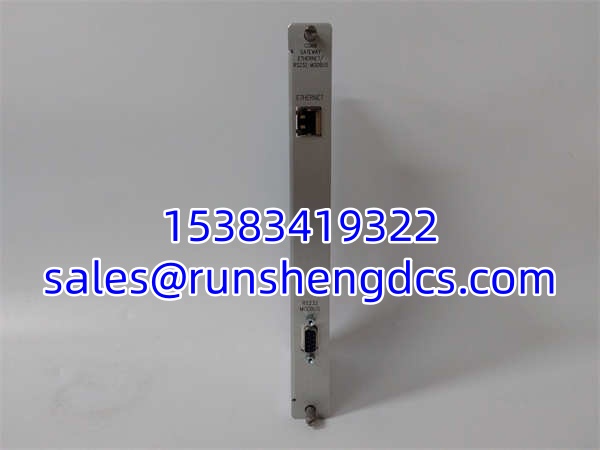
BENTLY 136188-01
Application Scenarios & Pain Points
- Refinery DCS Integration: Bringing 3500 vibration data into Honeywell Experion. If the gateway fails, the DCS shows “Comm Fail” and operators ignore the machine.
- Remote Monitoring: Sending data to a central System 1 server over the plant LAN. Network latency or gateway buffer overflows cause data gaps.
- Legacy Power Plants: Original 3500 racks from the early 2000s. The 136188-01 modules are failing faster than the vibration sensors. Sourcing is a race against time.
Compatible Replacement Models
- ✅ Drop-in Replacement: 136188-01 (Exact match). 3500/92 is the functional name; 136188-01 is the ordering code. No config changes.
- ⚠️ Software Compatible: 3500/92M (Enhanced). Same rack, same software, but supports newer protocols and faster refresh. Requires firmware update. Budget 2 hours for validation.
- ❌ Hardware Incompatible: 3500/22 TDI (Transient Data Interface). Different function. That’s for high-speed waveform capture, not continuous Modbus polling. Do not buy this expecting a gateway replacement.