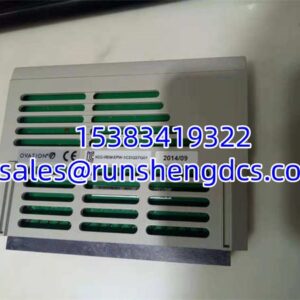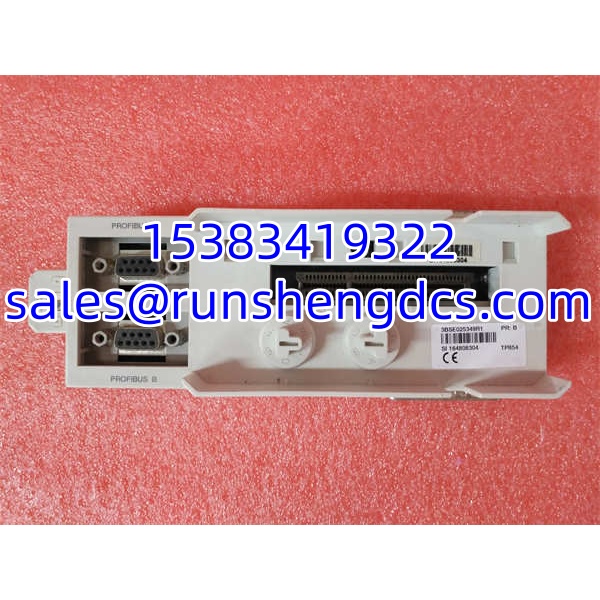

Description
Key Technical Specifications
| Parameter | Value / Note |
|---|---|
| Manufacturer | ABB |
| Order Code | 3BSE025349R1 |
| Product Type | Base Unit / Mounting Sub-Base |
| Compatible Modules | CI854 Profibus DP-V1 interface; CI858 DriveBus interface (verify slot compatibility) |
| Mounting | DIN-rail mount |
| System Family | ABB AC800M / S800 I/O |
| Approx. Dimensions | 216 × 72 × 49.5 mm (one listing; confirm with OEM datasheet) |
| Approx. Weight | 0.234 kg (one listing; verify) |
| Electrical Interface | ModuleBus / CEX-bus dependent on installed communication module |
| Typical Use | Fieldbus communication expansion on AC800M controllers |
| Environment | Industrial control cabinet use; temperature range not published for this base — verify with OEM |
| Status | Commonly available as surplus/refurbished; not a standalone controller |
Product Introduction
Replacing a failed communication interface in an AC800M rack is straightforward — until the base plate is damaged, missing, or mismatched. The TP854 3BSE025349R1 is not a CPU, I/O card, or power supply. It is the mounting base that carries the communication module and connects it into the controller’s internal bus structure. Without the correct base, even a good CI854 or CI858 module will not seat properly or make reliable electrical contact.
This base unit belongs to ABB’s AC800M / S800 hardware family, where communication modules plug into a sub-base rather than directly into the backplane. That design keeps field wiring and module replacement separate, which matters during troubleshooting. The real value here is mechanical compatibility and bus continuity: the TP854 lets a CI854 Profibus DP or CI858 DriveBus module integrate into an existing AC800M station without rewiring the entire rack. Bottom line — it is a replacement hardware component, not a performance upgrade.
QA/QC Transparency SOP
- Intake & Origin Verification — Verify order code 3BSE025349R1, label condition, and physical damage. Check for signs of heat stress, corrosion, or bent DIN-rail clips.
- Live Functional Testing — Seat the base on a test DIN rail with a known-good CI854/CI858 module and AC800M CPU. Confirm module detection, ModuleBus/CEX-bus communication, and absence of hardware faults.
- Electrical Parameter Tests — Check continuity across bus pins, verify insulation resistance, and inspect terminal contacts for oxidation or loose retention force.
- Firmware/Config Verification — Confirm the base itself carries no firmware, but verify the paired communication module’s firmware revision and hardware revision against the existing project.
- Final QC & Anti-Static Packaging — Record test results, label revision status, and pack in anti-static shielding with desiccant. Do not ship without confirming mechanical fit.
Field Engineer Gotchas
- Firmware Rev Mismatch — The TP854 base has no firmware, but the CI854/CI858 module does. A mismatched module revision can cause communication timeouts or hardware faults after replacement. Solution: match hardware and firmware revisions to the existing Control Builder M project before swapping.
- Wrong Base Plate — TP854 is listed for CI854 and CI858 in different sources; some listings also mention TP862/. Solution: confirm the exact compatible module in the hardware manual, not just the vendor description. Installing the wrong base can prevent proper seating or bus connection.
- DIN-Rail Seating Error — These bases lock into the rail and bus connector simultaneously. Forcing it can bend pins. Solution: release the retaining mechanism, align guides, and seat firmly without lateral force.
- Revision Code Confusion — 3BSE025349R1 includes a revision suffix. A “R” revision may not be interchangeable with earlier releases in all installations. Solution: compare the installed unit’s full order code before procurement.
- ESD & Live Replacement Risk — Communication modules may support hot-swapping under certain conditions, but the base itself is not a field-serviceable electronic card. Solution: follow ABB replacement procedures and avoid removing the base while the rack is energized unless the procedure explicitly allows it.
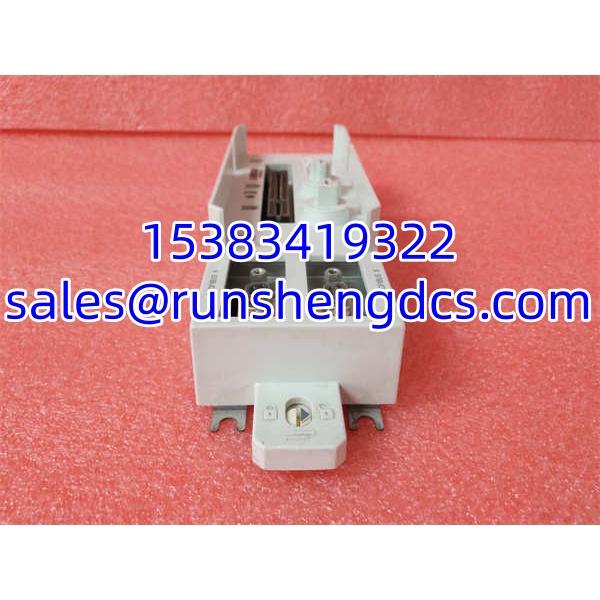
ABB TP854 3BSE025349R1
Application Scenarios
- — A failed base prevents the Profibus segment from initializing. Replacing the TP854 restores mechanical and electrical connection without changing the network addressing.
- DriveBus communication expansion — A paper machine or converting line uses for drive communication. A cracked base plate causes intermittent faults; replacement stabilizes module seating and bus contact.
- — Plants running older hardware keep TP854 bases as spares because the base is a common failure point during repeated module swaps.
FAQ
No. It is a mounting base unit. It does not execute control logic, store programs, or provide independent communication.
Which modules does it support?
It is commonly associated with Profibus DP-V1 and DriveBus interface modules. Confirm compatibility with the specific hardware manual before installation.
Not directly. The base supports specific communication or I/O modules that then connect to the CPU through ModuleBus/CEX-bus. Compatibility depends on the installed module, not just the CPU.
Does this base have firmware?
No. Firmware resides in the communication module (/), not in the base plate.
Is hot-swapping supported?
That depends on the installed module and system configuration, not the base itself. Follow ABB’s replacement procedure for the specific / module.
Are the dimensions 216 × 72 × 49.5 mm reliable?
Treat them as indicative. Multiple third-party listings disagree on dimensions and weight. Verify with the official ABB hardware documentation or the label on the installed unit.
Mechanically, yes — if the bus pins, rail clips, and connector surfaces are within spec. Electrically, it must pass continuity and seating tests. The base has no firmware, so refurbishment risk is mainly mechanical and contact-related.