
Description
Key Technical Specifications
| Parameter | Typical / Verified Data |
|---|---|
| Manufacturer | ABB |
| Model | PP845 |
| Order Code | 3BSE042235R1 |
| Product Family | Panel 800 operator panel |
| Display | 10.4-inch TFT, 800×600 pixels, resistive touchscreen (aftermarket-reported) |
| Processor | Intel Atom E3826 (reported for this order code) |
| Memory / Storage | 2 GB DDR3 RAM, 8 GB SSD (reported) |
| Ethernet | 2 × 10/100/1000 Mbps RJ45 (reported) |
| Serial Ports | 2 × RS-232/422/485, configuration-dependent (reported) |
| USB | 2 × USB 2.0 (reported) |
| Power Supply | 24 VDC nominal (reported) |
| Front Protection | IP65 (reported) |
| Operating Temperature | 0 to 50 °C or -10 to 60 °C depending on source; confirm nameplate |
| Mounting | Panel-mount operator panel |
| Typical Host Systems | AC 800M controllers, System 800xA, multi-vendor PLC/DCS via Ethernet or serial |
| Datasheet Availability | Not verified from ABB OEM sources for this exact order code |
Product Introduction
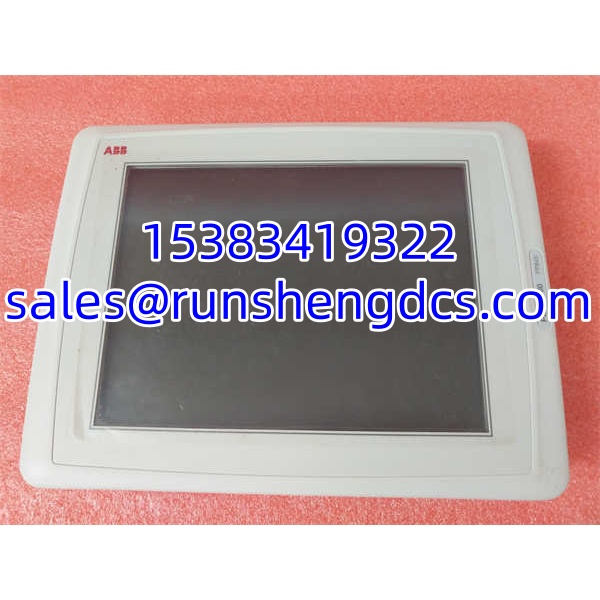
The ABB PP845 (3BSE042235R1) is a Panel 800 operator panel used as a local HMI for industrial process monitoring and control. It sits between operators and the underlying control system — typically an AC 800M controller or System 800xA environment — providing graphics, alarm lists, trend views, recipe or parameter changes, and diagnostic access.
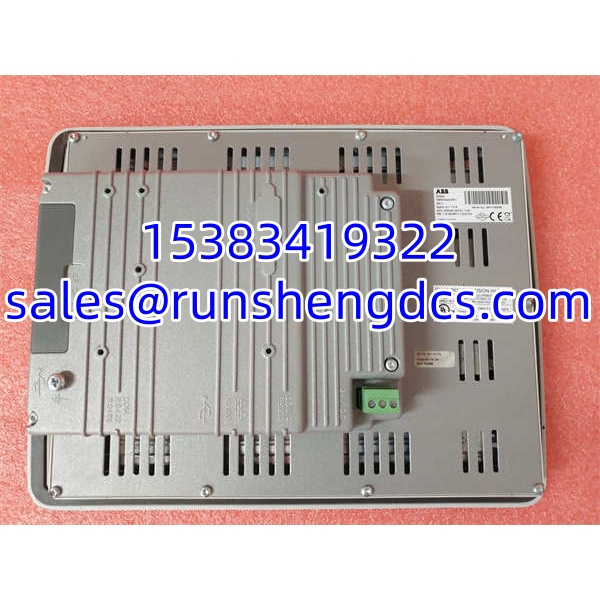
This unit is commonly reported as a 10.4-inch touchscreen panel with 800×600 resolution, dual Ethernet, serial ports, and USB 2.0. However, aftermarket sources are inconsistent: some describe it as an 8-inch panel, and others list conflicting environmental data. Because of that, the physical nameplate, rear label, and OS/firmware version must be treated as the primary source of truth. For replacement work, matching the display size, COM port assignment, network configuration, and HMI project version is just as important as matching the order code.
QA/QC Transparency SOP
- Nameplate Verification: Confirm PP845, 3BSE042235R1, serial number, hardware revision, power rating, and manufacturing date. Reject units with missing or altered labels.
- Display & Touch Test: Power up and verify full LCD illumination, pixel integrity, touch responsiveness, and absence of dead zones or ghost touches.
- Port & Interface Check: Test both Ethernet ports, USB ports, and serial interfaces. Confirm COM1/COM2 mode settings where configurable.
- OS & Firmware Validation: Verify operating system boot, firmware version, real-time clock, and network stack. Check for missing drivers or corrupted images.
- HMI Project Compatibility Check: Confirm that the panel can load the customer’s Panel Builder / Panel Builder 800 project and communicate with the target controller.
- Environmental & Mechanical Inspection: Inspect front bezel, gasket, mounting clips, connectors, and ventilation areas. Verify that the IP65 front seal is intact.
- Final Packaging: Protect the display with a rigid cover. Ship with anti-static and moisture-resistant packaging, including a test record.
Field Engineer Gotchas
- Do not trust screen size from listings alone. Some sources call PP845 an 8-inch panel, while others list it as 10.4-inch. Always verify the actual display before approving a replacement.
- COM port mode matters. RS-232, RS-422, and RS-485 modes may be configurable. A wrong COM setting will break serial communication with PLCs, drives, or instruments.
- The HMI project must match. A clean or mismatched OS image will power up but may fail to communicate with the controller or display incorrect graphics.
- Ethernet configuration is not plug-and-play. IP address, subnet, gateway, and protocol settings must match the existing automation network.
- Resistive touchscreens age. Older panels can develop touch drift, unresponsive corners, or calibration errors after long service.
- Front IP65 does not mean cabinet IP65. Only the front face is rated for panel-mount sealing. The rear remains exposed and must be installed inside a suitable enclosure.
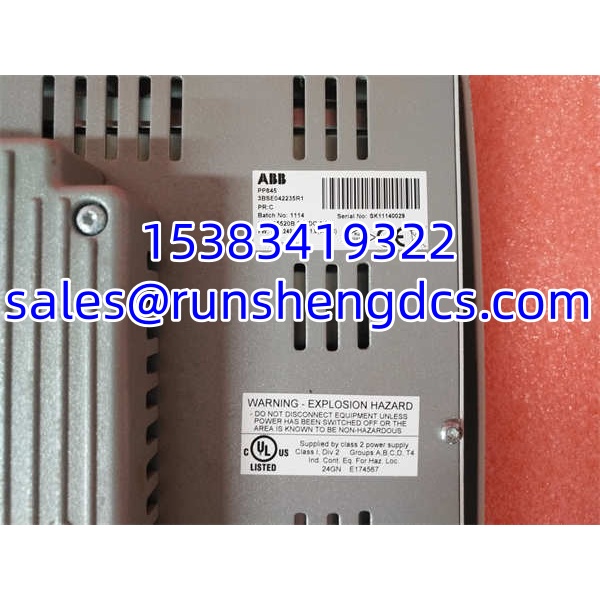
ABB PP845 3BSE042235R1
Application Scenarios
- AC 800M / System 800xA stations: Provides local operator access for process control, alarm acknowledgment, and parameter adjustment.
- Skid-mounted process units: Serves as a dedicated HMI for pump skids, chemical dosing systems, and utility packages.
- Multi-vendor PLC integration: Connects via Ethernet or serial to non-ABB controllers when the HMI project supports the required driver.
- Retrofit and maintenance projects: Replaces failed Panel 800 units without migrating the entire HMI architecture.
FAQ
Is PP845 3BSE042235R1 an 8-inch or 10.4-inch panel?
Aftermarket sources conflict. It is most commonly reported as a 10.4-inch, 800×600 Panel 800 HMI, but some listings describe an 8-inch version. Confirm from the physical unit.
Can it connect to non-ABB controllers?
Yes, in principle. Panel 800 panels support Ethernet and serial connections, but driver support depends on the HMI software version and project configuration.
What software is used to program it?
ABB Panel 800 panels are typically configured with Panel Builder or Panel Builder 800 tools. The exact tool depends on the panel generation and firmware.
Can I replace it with a PP846 or PP885?
Not automatically. Different Panel 800 models may have different display sizes, mounting cutouts, firmware, and communication capabilities. Engineering approval is required.
Why does the touchscreen feel unresponsive after replacement?
Possible causes include aging resistive touch film, incorrect calibration, damaged front gasket, or a corrupted OS image. Recalibrate and verify the touch driver.
Do you provide OEM calibration or software licensing?
No. Surplus units are supplied with nameplate verification, functional testing, and interface checks. HMI project files, licenses, and OEM certification must come from the end user or ABB.