
Description
Product Introduction
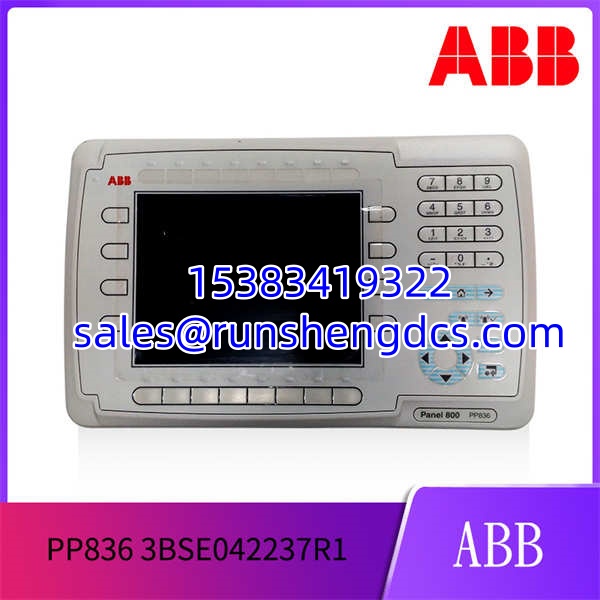
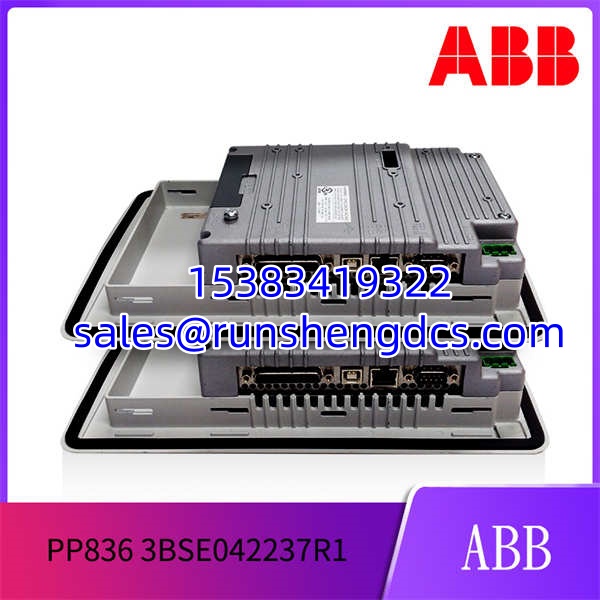
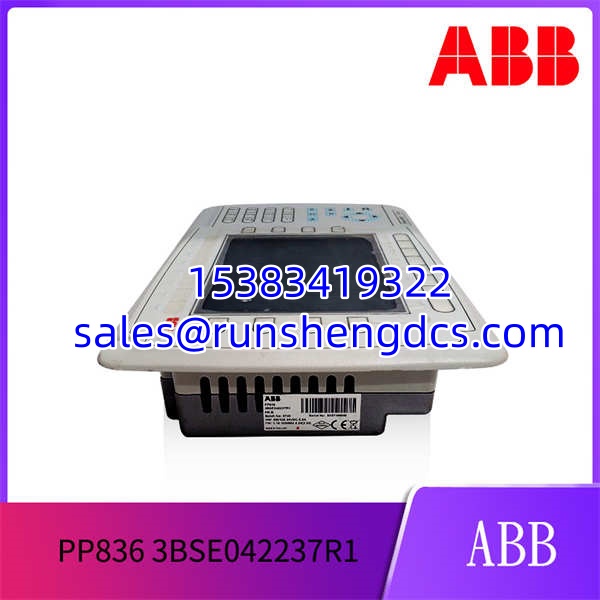
When a continuous production line controller goes down, every minute counts — that’s the context the PP836 3BSE042237R1 was built for. It sits in the Panel 800 lineup as a dedicated function key panel, designed for applications where tactile feedback is more reliable than a touchscreen, especially with operators wearing gloves.
Compared to the touchscreen PP835, the PP836 3BSE042237R1 pulls ahead on physical durability. That 6.5-inch TFT display with 640×480 resolution is bright enough for most control rooms, and the function keys have a distinct click you can feel. Honestly, that tactile feedback prevents a lot of input errors during high-stress situations. It runs on a standard 24 V DC supply and draws about 3.5 W, so it won’t tax your power budget.
Key Technical Specifications
| Parameter | Value |
|---|---|
| Display Size | 6.5 inch |
| Display Type | TFT Color |
| Resolution | 640 x 480 pixels |
| Input Method | Physical Function Keys |
| Supply Voltage | 24 V DC |
| Power Consumption | 3.5 W |
| Operating Temperature | -25 to +70 °C |
| Dimensions | 210 x 150 x 65 mm |
| Weight | 1.3 kg |
| Protection Class | IP65 (front) |
| Communication | Panel Bus (to AC 800M controller) |
Compatibility & Replacement Matrix
- PP836 3BSE042237R1 → PP835 3BSE042234R1 : Needs Adaptation — The PP835 is a touchscreen panel. Swapping requires reprogramming the HMI graphics in Panel Builder 800, as the input method changes from keys to touch.
- PP836 3BSE042237R1 → PP845 3BSE042235R1 : Needs Adaptation — The PP845 is a larger 10.4-inch touchscreen. This is a physical and software upgrade; the cutout size is different, and the project must be redesigned.
- PP836 3BSE042237R1 → PP836 3BSE042237R2 : Direct — The R2 is a hardware revision. It is a drop-in replacement for the R1 with no configuration changes needed.
- → PP825 3BSE042240R1 : Incompatible — The PP825 is a smaller 5.7-inch CSTN panel with a different resolution and communication protocol. It will not work as a replacement.
Quality Inspection & SOP Transparency
We don’t just look at the box. When a 3BSE042237R1 arrives, we pull it from the anti-static bag and check the serial number against the ABB manufacturing database to ensure it’s not a ghost unit. We look for yellowing on the display bezel and verify the function keys have a crisp, tactile feel — mushy keys are a red flag.
Then, we connect it to a live Panel 800 system (AC 800M controller). We watch the boot sequence: the ABB logo should appear, and the backlight should be uniform with no dark spots. We press every single function key and verify the corresponding bit registers toggle in the controller’s memory. We also check the communication link to the controller and ensure there are no errors in the system log. Finally, we leave it powered on for 24 hours to check for backlight flicker or intermittent communication drops. If it passes all tests, it gets a QC Passed sticker.
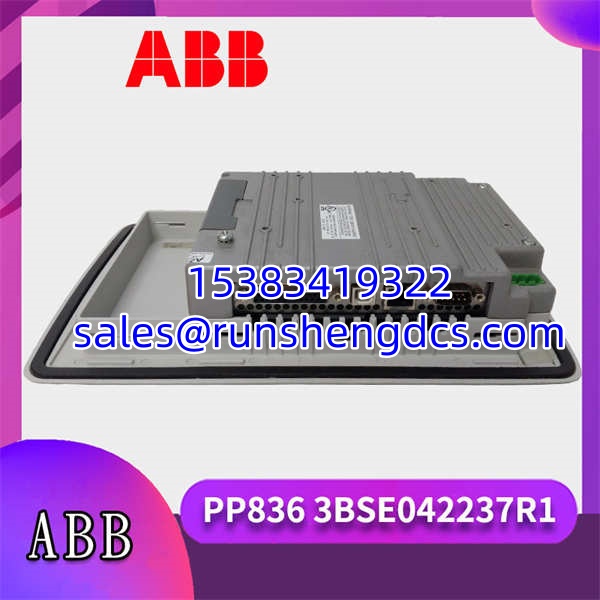
ABB-PP836-3BSE042237R1
Common Replacement Pitfalls
- Project File Mismatch — This is the big one. If you swap a for a PP835 (or vice versa), your existing Panel Builder 800 project won’t work. The graphics and key assignments are completely different. You’ll need to redesign the entire HMI screen, which can take days.
- Panel Bus Address — The uses a rotary switch on the back to set its address on the Panel Bus. If you don’t match the address of the old unit, the AC 800M controller won’t see it. It’s a tiny switch, easy to miss. Set it before you mount the panel.
- Cutout Size — The has a specific cutout size (192 x 138 mm). If you’re replacing a different model, like the PP845, the hole in your control cabinet will be the wrong size. Measure twice, order once.
- Backlight Failure — We’ve seen refurbished units where the backlight is on its last legs. It might look fine in the warehouse, but after 100 hours of operation, it dims or flickers. That’s why we do a 24-hour burn-in test.
- ESD Damage — The communication port is sensitive. Always use a grounded wrist strap when handling the unit, especially in dry environments. Watched an engineer fry a comms port once by touching the connector without grounding himself. Expensive mistake.
FAQ
Can I just swap this in directly?
Depends on your situation: if you are replacing a 3BSE042237R1 with another 3BSE042237R1 (or the R2 version), then yes, it’s a direct swap. Just match the Panel Bus address. If you are replacing a different model (like a PP835 touchscreen), then no. You will need to redesign your HMI project in Panel Builder 800.
My system runs AC 800M V5.0 — will this panel work?
Yes. The 3BSE042237R1 is compatible with AC 800M firmware v5.0 and later. It communicates over the Panel Bus, which is a standard protocol for the 800M system. You just need to make sure your Panel Builder 800 software version matches your controller firmware.
The main difference is the input method. The uses physical function keys, while the PP835 is a touchscreen.
| Feature | ||
|---|---|---|
| Input | Physical Keys | Touchscreen |
| Display | 6.5″ TFT | 6.5″ TFT |
| Best For | Gloved operation, harsh environments | Complex graphics, fewer physical buttons |
Is this unit factory sealed?
Yes, the units we stock are New Original (New Surplus) and come in factory-sealed packaging. We do not sell refurbished or repaired units. We verify the serial number and packaging integrity before shipping.
How do I configure the function keys?
You use the Panel Builder 800 software. It’s a Windows-based application that lets you design the HMI screens and assign functions to each of the 20 keys. You download the project to the panel over the Panel Bus connection. Honestly, the software is a bit dated, but it gets the job done.