
Description
Key Technical Specifications
- Brand: ABB
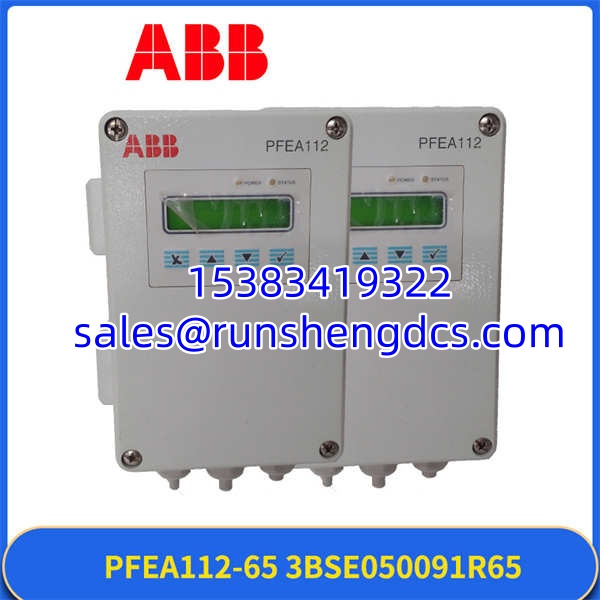
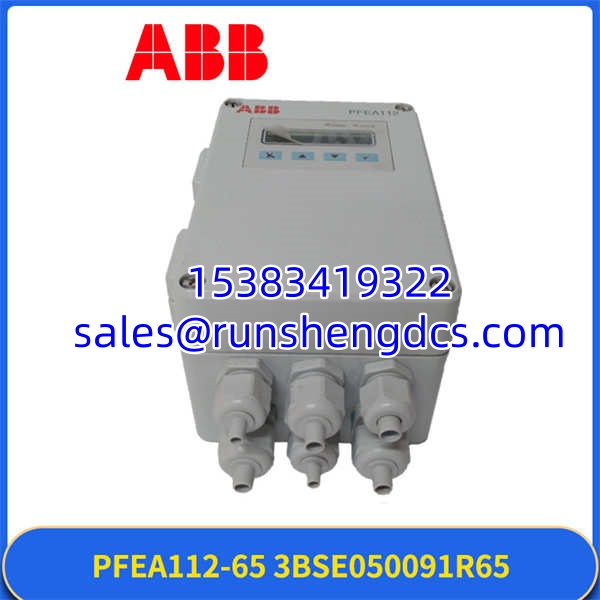
- Model: PFEA112-65
- Order Code: 3BSE050091R65
- Product Family: ABB PFEA tension electronics
- Function: Tension signal processing and tension control
- Typical Use: Web tension measurement and control in converting, printing, paper, film, foil, and strip processing lines
- Protection Class Indicator: “-65” commonly corresponds to IP65 / NEMA 4 style enclosure; verify on nameplate
- Sensor Compatibility: ABB tension load cells / pressductors; exact compatible types must be verified
- Communication: Profibus is commonly associated with ABB tension control units; confirm for this exact order code
- Mounting Style: DIN-rail or panel / enclosure mounting, depending on exact hardware variant
- Firmware / Parameter Set: Must match the host system backup before replacement
- Origin / Catalog References: Some supplier listings reference 800xA or mixed catalog data; treat as unverified unless confirmed by OEM documentation
Product Introduction
ABB PFEA112-65, order code 3BSE050091R65, is an ABB tension electronics unit used in web tension measurement and control systems. It accepts signals from tension load cells or pressductors and converts those signals into a usable tension value for monitoring, display, or closed-loop control.
The main difference between PFEA112 variants is not just the front label. The “-65” designation usually points to an IP65 / NEMA 4 style enclosure rating, while other variants such as PFEA112-20 typically indicate IP20. That makes PFEA112-65 more suitable for cabinets, washdown areas, or environments where dust and moisture protection matters — but only if the mechanical format, terminal layout, and parameter set match the failed unit.
Installation & Configuration Guide
Preparation — about 10 minutes
- Lock out and tag out the tension system power supply.
- Confirm the failed unit shows PFEA112-65 and order code 3BSE050091R65.
- Photograph the nameplate, DIP switches, jumpers, and all terminal wiring.
- Record the Profibus address, nominal load, wrap gain, zero offset, and measurement range if available.
- Verify the replacement has the same hardware revision and firmware version.
Removal — about 5–10 minutes
- Disconnect the 24 V supply.
- Label each wire before removing it.
- Disconnect tension load cell cables first.
- Disconnect analog outputs, digital I/O, and Profibus cables last.
- Remove mounting hardware and lift the unit from the DIN rail or panel.
Installation — about 10 minutes
- Mount the replacement -65 in the same orientation.
- Reconnect load cell cables using the original wiring sequence.
- Reconnect power, analog outputs, digital I/O, and Profibus.
- Confirm terminal torque and connector seating.
- Do not force connectors. If a plug does not seat cleanly, check pin alignment.
Power-On & Test — about 10 minutes
- Apply 24 V DC and check for normal power-up indication.
- Verify the display or status LEDs show no fault.
- Confirm Profibus communication if the system uses it.
- Perform a zero set with no web load or before threading.
- Check tension reading stability across a small load change.
- Compare the measured value against the host control system.
Troubleshooting Quick Reference
| Symptom | Most Likely Cause | First Check |
|---|---|---|
| No display or no power | 24 V supply, fuse, or wiring fault | Measure 24 V DC at the module terminals |
| Tension reads zero | Load cell cable, sensor fault, or wrong parameter | Check load cell wiring and nominal load setting |
| Tension reads negative | Force direction or wiring polarity mismatch | Swap or verify load cell signal pair wiring |
| Unstable tension value | Bad sensor contact, noise, or loose terminal | Inspect shielding, grounding, and terminal torque |
| Profibus fault | Wrong address, cable, or termination | Confirm station address and bus wiring |
| Replacement not accepted | Firmware, revision, or parameter mismatch | Compare nameplate, revision, and project backup |
PFEA112-65 3BSE050091R65
Dimensions, Mounting & Wiring Notes
- Dimensions: One supplier listing shows approximately 160 mm × 160 mm × 120 mm with a weight near 0.8 kg. Treat this as unverified until confirmed on the physical unit or OEM drawing.
- Mounting Method: Typically DIN-rail or panel / enclosure mounting for IP65-style tension electronics. Confirm the exact mounting feet, cutout, and fastener pattern before ordering.
- Terminal Notes:
- Keep load cell cables separated from power cables.
- Maintain proper shielding and ground continuity.
- Do not change load cell wiring order unless the force direction is confirmed wrong.
- If the tension value is inverted, check the signal pair before assuming the module is defective.
FAQ
Is ABB -65 the same as -20?
No. The “-65” version is generally associated with IP65 / NEMA 4 style protection, while “-20” versions are typically IP20. They may look similar, but enclosure rating, mounting format, and terminal arrangement can differ.
Not without verification. PFEA113 units may support different amplifier channels, outputs, or configuration options. Do not assume a direct swap based on series similarity.
What if the replacement has the same order code but different firmware?
It may power up but still fail in service. Check firmware version, hardware revision, Profibus address, and parameter backup before putting the line back into production.
I only have the model number, not the order code. Is that enough?
Usually no. For 3BSE050091R65, the full order code matters. The model alone does not confirm revision, firmware, protection class, or I/O configuration.
Is this unit safe to install without checking the load cell type?
No. The must match the connected tension load cell or pressductor. Wrong sensor pairing can cause incorrect tension readings or control instability.
What is the biggest mistake during replacement?
Swapping the unit without photographing DIP switches, jumpers, and terminal wiring. That small step usually prevents hours of commissioning problems.
Does this unit work with any ABB tension system?
Not automatically. It belongs to the ABB PFEA tension electronics family, but compatibility depends on sensor type, communication setup, parameter set, and host control configuration.