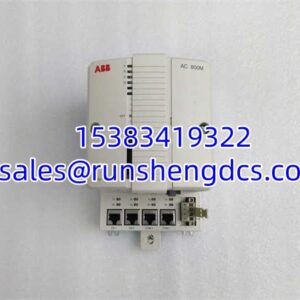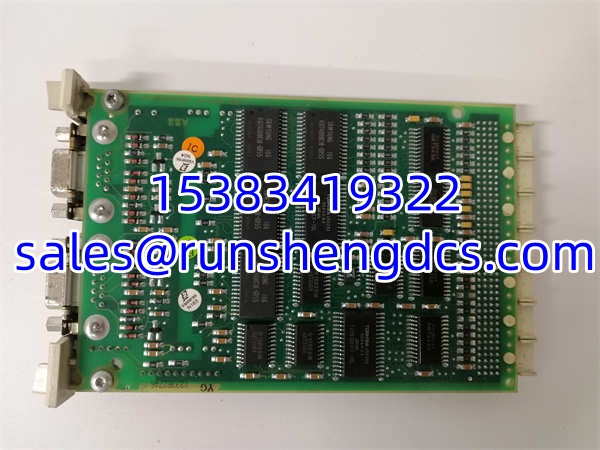

Description
Key Technical Specifications
| Parameter | Specification |
|---|---|
| Product Model | CI541V1 (3BSE014666R1) |
| Manufacturer | ABB Automation Technologies |
| Protocol | PROFIBUS DP V0/V1 Slave |
| Max Baud Rate | 12 Mbit/s |
| I/O Mapping | 244 Bytes Input / 244 Bytes Output |
| Connectors | Dual DB-9F (In/Out or Redundant) |
| Termination | Integrated switchable resistors |
| LED Indicators | PWR, RUN, TX, RX, ERR, TER |
| Dimensions | 125 x 20 x 255 mm (W x H x D) |
| Weight | 0.17 kg |
| Operating Temp | 0°C to +60°C |
| Mounting | DIN Rail / Backplane |
Product Introduction
Tension on the bus doesn’t always show up as a hard fault; sometimes it’s just a flickering ERR LED at 12 Mbit/s that drives technicians crazy. The ABB CI541V1 is the standard PROFIBUS DP slave for AC 800M racks, handling the grunt work of mapping field device data into the controller’s process image. It’s not a fancy module, but when it’s running at full speed, it’s the difference between a stable plant and a 4 AM emergency call.
We specify the 3BSE014666R1 because the dual DB-9F connectors make redundancy or daisy-chaining straightforward without external repeaters. The 244-byte I/O limit is plenty for most standard valve islands and drive clusters, but don’t get greedy with the mapping. Bottom line: it handles the protocol overhead so your CPU doesn’t have to, and it does it with enough headroom to manage the inertia spikes during roll changes or batch transitions.
QA/QC Transparency SOP
We don’t trust “tested” stickers on comm modules. Every CI541V1 3BSE014666R1 goes through a five-step validation process before it ships:
- Intake & Origin Verification: We trace the 3BSE014666R1 batch code against OEM records. Visual inspection checks for cracked DB-9 shells and cold solder joints on the backplane connector.
- Live Functional Testing: The unit is mounted on a live PROFIBUS test bench. We force it to 12 Mbit/s and hammer it with 244 bytes of I/O for 4 hours to check for thermal drift or bus dropouts.
- Electrical Parameter Tests: Using a Fluke 115, we verify 24VDC input tolerance and check continuity on the termination switch. A bad switch is a common failure point.
- Firmware/Config Verification: We read the firmware version and verify the node address retention. If the previous user left custom GSD settings, we factory reset.
- Final QC & Anti-Static Packaging: Unit is cleaned, DB-9 screws are inspected for stripped heads, and it’s sealed in an ESD bag. Note: Cables are not included.
Field Engineer Gotchas
- The Termination Trap: The CI541V1 has two termination switches. I’ve seen techs set the first one correctly but leave the second one OFF, causing reflections that only show up at high baud rates. War Story: Spent a weekend chasing intermittent faults on a packaging line, only to find the second termination switch was broken internally. Always verify with a multimeter, don’t just trust the click.
- DB-9 Shell Fatigue: The plastic on these older units gets brittle after 15 years in a hot cabinet. I’ve seen the connector housing crack during installation, grounding the B- line and dropping the whole bus. Solution: If the shell looks yellowed or cracked, reject it. No amount of electrical tape fixes a broken ground shield on a 12 Mbit/s line.
- Hot-Swap Risks: Technically, the AC 800M supports hot-swap, but I wouldn’t risk it on a PROFIBUS node. The bus can bounce during insertion, causing other nodes to drop. Warning: Power down. It takes 2 minutes to switch off the PSU. Don’t be lazy.
- Baud Rate Mismatch: If the ERR LED is flashing red, check your config. If the module thinks it’s 1.5 Mbit/s but the master is sending 12 Mbit/s, it will error out. Check: Verify the physical DIP switch and the Control Builder hardware config match.
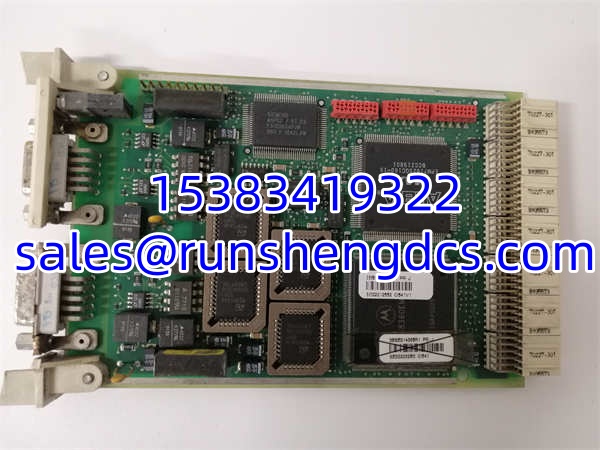
ABB CI541V1 3BSE014666R1
Application Scenarios
- High-Speed Packaging Lines: 12 Mbit/s is required for fast servo feedback. The CI541V1 handles the cyclic data without jitter, ensuring cut-to-length accuracy stays within tolerance.
- Remote I/O Clusters: The dual DB-9F allows daisy-chaining to the next node without extra hardware. Perfect for long conveyor runs where pulling a new cable to the PLC isn’t an option.
- Redundant Control Networks: Use both ports for redundant bus connections. If one cable gets cut by a forklift, the second port keeps the process alive.
FAQ
Can I hot-swap this module without shutting down the rack?
Technically, yes, but I wouldn’t risk it. The bus can bounce during insertion, causing other nodes to drop. Power down. It takes 2 minutes to switch off the PSU. Don’t be lazy.
The ERR LED is flashing red. What’s wrong?
90% of the time, it’s a termination issue or a baud rate mismatch. Check both physical switches on the module. Then check your Control Builder hardware config. If the module thinks it’s 1.5 Mbit/s but the master is sending 12 Mbit/s, it will error out.
Do I need to download the program after replacing this?
Usually, no. The stores its node address and basic config in non-volatile memory. However, if you’re swapping from a different revision, always do a “Download Hardware Config” to be safe. Don’t assume.
Is the dual DB-9 for redundancy?
It can be. One port is typically for the PROFIBUS IN, the other for OUT to daisy-chain. In redundant setups, both can be active. Check your system design. Don’t just plug both in and hope.
Can I use this for PROFIBUS PA?
No. The is strictly DP. If you need PA, you need a different interface or a DP/PA coupler. Don’t try to force it. You’ll just fry the port.
How do I check the firmware version?
In Control Builder, right-click the module in the hardware tree and select “Product Information.” It’ll show the firmware revision. If it’s ancient, consider upgrading during your next shutdown window, but don’t do it during a critical production run.
What is the max cable length at 12 Mbit/s?
100 meters, no repeaters. If you’re pushing 150 meters, you need a repeater or you’ll get CRC errors. Don’t blame the module if your cable run is too long.