
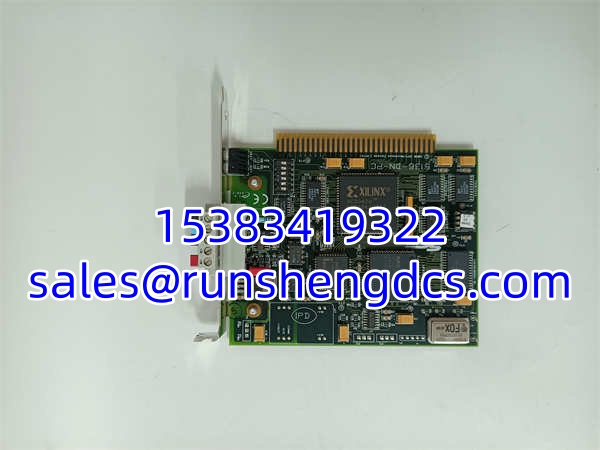
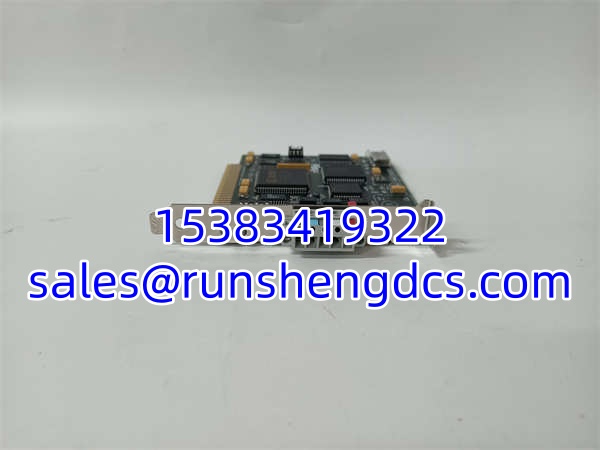

Description
Key Technical Specifications
- Bus Interface: 3.3V / 5V PCI (PCI-X Compatible)
- Protocol: DeviceNet (CIP Stack)
- Baud Rates: 125, 250, 500 Kbaud (Auto-detect or Manual)
- Processing: Full Hardware Protocol Engine (No CPU load)
- Messaging: Polled I/O + Explicit Messaging
- Compliance: DeviceNet Conformance Test Passed
- Channels: 1x DeviceNet Port (5-pin Mini Style)
- Operating Voltage: 12-24V DC (Auxiliary power option)
- Temp Range: 0°C to 60°C (No derating)
- Dimensions: 15.2cm x 5.1cm x 15.3cm
- Weight: 0.17 kg
- LED Status: Network Activity, Power, Fault
Product Introduction
PCs are terrible at real-time I/O. Windows decides to run an update right when your scanner needs to poll the safety relay. The 5136-DN-PC fixes this by putting the entire DeviceNet stack on a dedicated silicon chip. The host PC just reads a memory buffer. If Windows hangs, the card keeps scanning. That hardware offload is why this card still shows up in test stands and HMI gateways 20 years later.
Why hunt for this specific PCI card? Latency and determinism. Software stacks jitter; this hardware doesn’t. You get consistent scan times even when the PC is pegged at 100% CPU. Honest warning: PCI slots are dying. If your motherboard doesn’t have a native PCI slot, you’re chasing PCIe adapters that sometimes hate these old cards. Verify your BIOS legacy USB/PCI settings before you buy.
Troubleshooting Quick Reference
- Card Not Detected: 70% chance it’s a BIOS/IRQ conflict. Disable “Plug and Play OS” in BIOS. Move card to a different PCI slot. Check for 3.3V vs 5V keying.
- Network Down LED: Check termination. DeviceNet needs 121Ω at both ends. Measure between CAN_H and CAN_L; should be ~60Ω with both terminators.
- Explicit Msg Timeout: Baud rate mismatch. Card auto-detect can fail if noise is high. Force 250K in config. Verify MAC ID isn’t duplicated on the bus.
- Driver Won’t Load: Windows 10/11 hates old SST drivers. Run in Compatibility Mode (Win7). Disable Driver Signature Enforcement. Check Device Manager for “Unknown Device” with yellow bang.
- Intermittent Drops: Ground loop. DeviceNet shield must be grounded at one point only. Check the mini-style connector for loose crimps—vibration kills these.
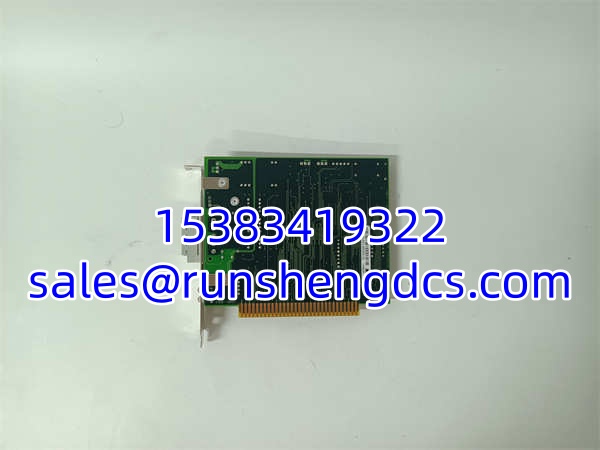
SST 5136-DN-PC
Application Scenarios & Pain Points
- Legacy Test Stands: 2005-era automotive ECU testers running Windows XP. Card is dead, no OEM support. You’re scraping eBay for “New Old Stock” because the test software can’t be recompiled.
- HMI Gateway Bridges: Connecting a modern PanelView to an old DeviceNet conveyor. PC acts as the bridge. Card handles the dirty bus work while the HMI just polls a tag list.
- Data Logging Nodes: Archiving DeviceNet traffic for predictive maintenance. Software sniffers miss packets; this hardware card captures every frame without dropping.
Compatible Replacement Models
- ✅ Drop-in Replacement: 5136-DN-PC (Exact match). Molex/Woodhead rebranded SST, but the silicon is identical. No driver changes needed.
- ⚠️ Software Compatible: SST-DN3-PCU-1. Newer PCI form factor, universal voltage. Same API/driver family. May need minor config tweak in the scanner tool. Budget 2 hours for validation.
- ❌ Hardware Incompatible: 5136-DNP-PCI. Different protocol engine (DeviceNet Pro). Different driver. Different DLLs. Will not work with legacy SST-DN software. Do not buy this expecting a plug-and-play fix.




