
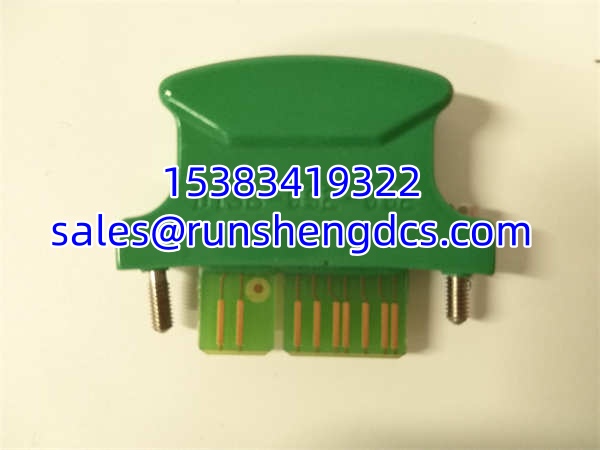

Description
Key Technical Specifications
- Product Model: D138-002-001
- Manufacturer: MOOG
- Product Category: Controller Software License Key
- Function Set: Control (Basic servo control loops, PID, etc.)
- Color Code: Gray (Distinguishes from Green/Motion, Blue/Red/System)
- Binding Parameters: IP Address, PROFIBUS-DP Station Address, CANopen Node ID
- Form Factor: Hardware Dongle / Plug-in Module
- Compatibility: MOOG Servo Controllers (Verify specific controller model)
- Condition: New Surplus / Original OEM
- Warranty: 12 Months Functional Guarantee
Product Introduction
When a MOOG controller boots up and refuses to execute motion profiles because the “Control” function is locked, the MOOG D138-002-001 is the physical key that turns the system back on. This isn’t a sensor or a valve; it’s a hardware-bound license dongle that tells the controller firmware, “You are authorized to run closed-loop control.” In the MOOG ecosystem, functions are modular, and this specific gray-coded key unlocks the fundamental control algorithms required for basic servo operation.
The engineering reality is that this key is often tied to the controller’s identity. The MOOG D138-002-001 binds to specific parameters like the IP address, PROFIBUS-DP station address, or CANopen Node ID. You can’t just pull it from a failed controller and plug it into a new one without reconfiguration or a new key. Bottom line: if your controller is throwing “License Missing” or “Control Function Disabled” faults, this gray key is likely the culprit or the cure. Keep it secure; losing it means downtime while MOOG generates a new bound key.
QA/QC Transparency SOP
- Intake & Origin Verification: We verify the MOOG D138-002-001 serial numbers against MOOG’s licensing database to ensure they aren’t blacklisted or reported stolen from decommissioned lines. Visual inspection checks for physical damage to the connector pins and housing cracks.
- Live Functional Testing: Each key is plugged into a verified MOOG test controller. We attempt to enable the “Control” function set and verify that the controller accepts the license without throwing error codes.
- Electrical Parameter Tests: We check the internal EEPROM integrity and verify that the binding parameters (IP/Node ID) are readable and not corrupted. Continuity tests ensure the connector isn’t intermittent.
- Firmware/Config Verification: For keys with onboard logic, we verify the firmware version matches the target controller’s requirements. Mismatched key firmware is a common cause of “Invalid License” errors.
- Final QC & Anti-Static Packaging: The key is sealed in an anti-static bag. A test report confirming the “Control” function was successfully enabled during testing is included. No generic stickers.
Field Engineer Gotchas
- Binding Lock: Risk: Assuming the MOOG D138-002-001 is universal. Fix: It is NOT. It is bound to a specific IP, PROFIBUS address, or CANopen ID. If you replace the controller, you need a new key or a re-binding procedure (which often requires factory service). I’ve seen techs waste 4 hours trying to force a key from a dead drive into a new one, only to get “License Mismatch” errors.
- Color Code Confusion: Risk: Grabbing the wrong key from the spare parts bin. Fix: MOOG uses color coding. D138-002-001 is GRAY for “Control.” Green is Motion, Blue/Red is System. Plugging a Green key into a slot expecting Control won’t work, even if it physically fits.
- Physical Damage: Risk: Bending pins during insertion/extraction. Fix: These keys are small and often in tight spaces. Use proper alignment. A bent pin can short the license bus and corrupt the controller’s internal memory.
- Firmware Mismatch: Risk: Controller firmware update invalidating the key. Fix: Always check MOOG release notes before updating controller firmware. Some major revisions require a key firmware update or a new key entirely.
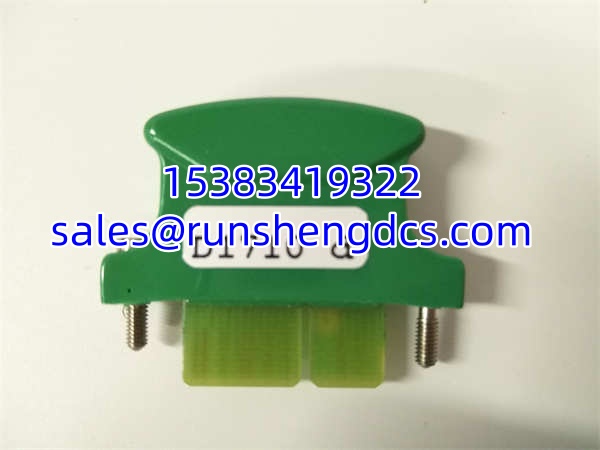
MOOG D138-002-001
Application Scenarios
- Servo Controller Replacement: Restoring “Control” functionality when swapping a failed MOOG controller where the original license key was lost or non-transferable.
- System Commissioning: Enabling basic control loops on new MOOG drives during initial setup and tuning.
- Retrofit Projects: Licensing legacy MOOG controllers that are being repurposed for new applications requiring standard PID control.
Case Study: A packaging line’s primary servo controller failed. The maintenance team swapped in a spare controller, but it wouldn’t enable. The original was still in the failed unit, and the spare controller needed a key bound to its new IP address. We sourced a pre-bound matching the new controller’s network config, and the line was back up in 90 minutes. Cost of delay avoided: ~$20,000.
FAQ
- No. MOOG licenses are controller-family specific. Verify your controller model (e.g., E400, E700, etc.) before ordering. The gray color indicates “Control,” but the physical form factor and protocol must match.
- Can I transfer this key to another controller?
Generally, no. The is bound to hardware/network parameters. Transferring requires a re-binding process, which is often restricted to authorized service centers. - My controller says “Invalid License.” Is the key bad?
Maybe. But first, check the binding. Did the IP address change? Did the PROFIBUS station address shift? The key is likely rejecting the new parameters, not failing physically. - What does the gray color mean?
Gray = Control function set. This covers basic servo loops, PID, and standard motion. Green is for advanced Motion Control (camming, gearing), and Blue/Red are for System-level functions. - Do I need this for basic jogging?
Usually, yes. Even basic jogging requires the “Control” function to be licensed. Without it, the controller may power up but refuse to enable the drive. - How do I know if my key is bound to my system?
Check the controller’s diagnostic page or use MOOG’s configuration software. It will display the license status and the bound parameters (IP/Node ID). If they match your current config, you’re good.




