
Description
Key Technical Specifications
| Specification | Details |
|---|---|
| Part Number | IP706 |
| Manufacturer | KEBA AG (Austria) |
| Product Type | Robot Controller / Central Control Module |
| Compatible Platforms | KEBA KeMotion robot control platform, KeSystems machinery automation platform |
| Processor | High-performance industrial processor (comparable KeControl models use Intel Atom-class CPUs, e.g., 1.6 GHz) |
| Operating System | VxWorks real-time operating system (RTOS) |
| Program Memory | Approximately 3–8 MB (varies by revision) |
| Data Memory | Approximately 1–8 MB (varies by revision) |
| Communication Interfaces | Ethernet, RS-232, RS-422, RS-485, CANopen (CANA/CANB), SIO3 serial interface |
| Supported Protocols | CANopen, Ethernet/IP (via KeConnect), Modbus (via gateway), KEBA proprietary peer-to-peer |
| I/O Channels | Digital I/O, analog I/O (via companion I/O modules); module itself provides communication and processing, not direct field I/O terminals |
| Power Supply | 24V DC (some listings cite 220V AC input for integrated power supply variants — verify specific revision) |
| Power Consumption | Not publicly specified; typical KeControl modules draw 30–60W depending on configuration |
| Operating Temperature | 0°C to 35°C (32°F to 95°F) per some distributor specs; industrial-grade variants may support wider ranges |
| Storage Temperature | Not publicly specified; typical industrial range -20°C to +70°C |
| Humidity | 5% to 95% non-condensing |
| Dimensions | Approximately 80 mm × 270 mm × 210 mm (varies by chassis configuration) |
| Weight | Approximately 0.8–1.0 kg |
| Standards | UL certified, CE compliant (specific certifications vary by system generation) |
| Typical Applications | Industrial robot control (welding, assembly, palletizing), injection molding machine control (KePlast platform), CNC machine tool control, automated logistics and warehousing, automotive production lines |
| Compatible HMI | KEBA KeTop series teach pendants and operator panels (T70Q, KeTop T70, etc.) |
| Compatible I/O Families | KEBA KeConnect I/O modules, FB201 function blocks, DO321 digital output modules, and other KEBA system components |
| Programming Environment | KEBA KeStudio engineering suite (includes KAIRO, TeachEdit, ViewEdit, SafePMT for safety applications) |
Product Introduction
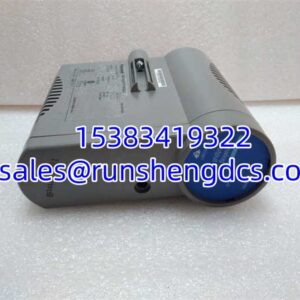
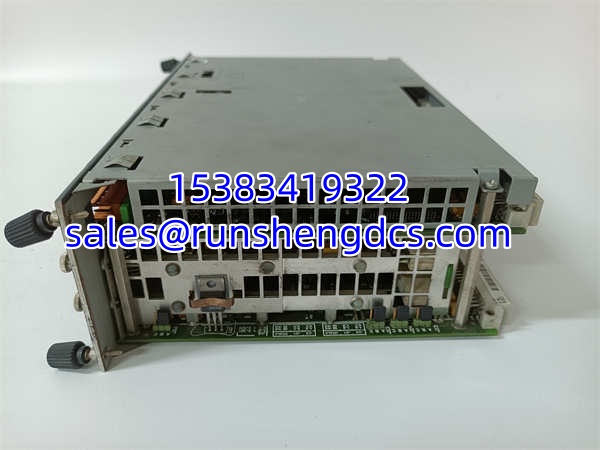
The KEBA IP706 is a high-performance central controller module — the computational heart of a KEBA KeMotion robot control system or KeSystems machinery automation platform. Think of it as an industrial-grade PC running a real-time operating system (VxWorks), purpose-built for deterministic multi-axis motion control. Unlike a standard PLC that scans ladder logic in a fixed cycle, the IP706 executes complex kinematic calculations, trajectory planning, and servo loop closures in real time, coordinating the movement of multiple robot joints or machine axes simultaneously.
The IP706 belongs to KEBA’s KeControl family of controller modules. KEBA (KEBA AG) is an Austrian automation company founded in 1968, headquartered in Linz, and known for its specialized control solutions in robotics, injection molding (KePlast platform), and general machinery automation (KeSystems). The company doesn’t manufacture robot arms itself — instead, it supplies the controller “brains” to robot OEMs and machine builders. Many well-known Chinese robot brands (such as Efort and Estun) have used KEBA controllers in their systems, which is one reason the IP706 appears frequently in the Chinese industrial surplus market.
Architecturally, the IP706 is a modular controller. It doesn’t have screw terminals for direct field wiring on its front panel. Instead, it sits in a KEBA system rack or control cabinet, connected via a high-speed internal bus (KEBA’s proprietary KBUS or similar backplane architecture) to companion I/O modules (such as the DO321 digital output module, FB201 function block modules, and KeConnect distributed I/O). The handles all the computation — reading sensor inputs via the I/O modules, executing the control program, calculating motion trajectories, and sending servo commands to KEBA KeDrive servo drives. The communication interfaces on the itself (Ethernet, RS-232/RS-422, CANopen) are used for connecting to HMIs (KeTop teach pendants), upper-level SCADA/MES systems, and other controllers in a multi-controller installation.
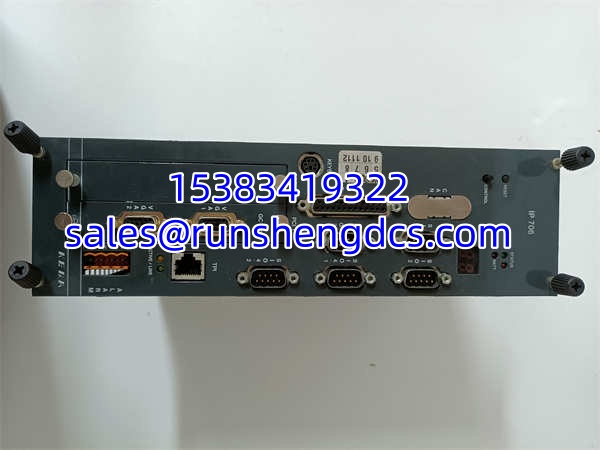
The front panel of the reveals its communication personality: you’ll find labeled ports for CANA and CANB (dual CAN bus channels for connecting to servo drives and distributed I/O), RS-422/RS-232 serial ports (for legacy device integration or direct PC connection for programming), and an Ethernet port (for HMI connection, program download, and network integration). There’s also a battery compartment (BATT) for maintaining real-time clock and memory retention during power-off, and status LEDs for system health monitoring.
Programming the is done through KEBA’s KeStudio engineering suite. KeStudio includes KAIRO (the main programming environment), TeachEdit (for teach pendant programming), ViewEdit (for HMI screen design), and SafePMT (for safety function configuration). The robot motion instruction set includes PTP (point-to-point), Lin (linear), Circ (circular), and relative motion variants (PTPRel, LinRel), along with dynamic parameter settings (Dyn, Dynovr, Ovl) for controlling speed, acceleration, and path blending. For injection molding applications, the KePlast software adds specialized instructions for mold clamping, injection, holding pressure, and ejection sequences.
One distinctive aspect of KEBA’s ecosystem is the KeTop teach pendant — a handheld HMI that connects to the controller via Ethernet or a dedicated cable. The KeTop provides a graphical interface for jog-mode robot movement, program editing, I/O monitoring, variable management, and system diagnostics. It’s the primary tool an operator or technician uses to interact with the during commissioning, troubleshooting, and routine operation. The KeTop can also store program backups and export I/O status logs to a USB drive, which is invaluable for troubleshooting intermittent faults.
The is used across a wide range of industries. In automotive manufacturing, it controls welding robots and assembly line manipulators. In electronics manufacturing, it drives PCB assembly robots and testing equipment. In logistics, it manages palletizing robots and automated guided vehicle (AGV) fleet controllers. In injection molding, the closely related KePlast platform (which shares the same KeControl hardware family) controls the entire molding cycle — clamping, injection, cooling, and ejection. In each case, the ‘s real-time processing capability ensures that motion commands are executed with precise timing, which is critical for path accuracy and cycle time optimization.
Regarding availability: the is considered a legacy product in KEBA’s current portfolio. KEBA’s current-generation controller lineup includes the KeControl C5 and KeControl C1 platforms, which offer more processing power, newer communication interfaces, and updated software support. However, there are thousands of installations still in service worldwide, particularly in China where KEBA controllers have been widely adopted by domestic robot OEMs and machine builders. Sourcing replacement modules is possible through independent industrial surplus dealers, with prices ranging from approximately ¥3,500 to ¥7,000 RMB depending on condition and revision. When purchasing, always verify the hardware revision and the installed firmware/KeMotion software version, as compatibility with your existing KeTop teach pendant and I/O modules depends on matching software generations.
Troubleshooting Quick Reference
| Fault | Likely Cause | Relevancy | Quick Check | Fix |
|---|---|---|---|---|
| Controller not powering up (no LEDs) | 24V DC power supply failure, blown fuse, or loose power connector | ~20% | Measure 24V DC at controller power input terminals; check system fuse | Restore power supply; replace blown fuse; reseat power connector |
| Communication loss to KeTop teach pendant | Ethernet cable fault, IP address mismatch, or KeTop firmware version incompatibility | ~25% | Ping controller IP from KeTop; check Ethernet cable continuity; verify IP settings | Replace Ethernet cable; reconfigure IP addresses to match; update KeTop firmware to match controller version |
| CAN bus communication fault (CANA/CANB LED error) | CAN bus cable fault, termination resistor missing, or servo drive communication failure | ~20% | Check CAN bus cable connections; verify 120Ω termination resistors at bus ends; check servo drive status | Repair/replace CAN cable; install missing termination resistors; troubleshoot individual servo drive on the bus |
| Robot motion error / axis fault | Servo drive alarm, encoder feedback loss, or mechanical binding on axis | ~15% | Check servo drive alarm code on KeTop; verify encoder cable connections; manually jog axis to check for binding | Clear servo drive alarm per drive manual; repair encoder cable; investigate and resolve mechanical binding |
| Program execution error | Syntax error in program, missing variable definition, or I/O module mismatch | ~10% | Review error message on KeTop; check program code in KAIRO; verify I/O module configuration | Correct program syntax; define missing variables; verify I/O module configuration matches physical hardware |
| Battery fault alarm (BATT LED) | Backup battery depleted, causing loss of real-time clock or retained data | ~5% | Check BATT LED status; review system log for battery warning history | Replace backup battery (typically a standard lithium coin cell); reset real-time clock; verify retained data integrity |
| Controller overheating | Ventilation blocked, ambient temperature exceeding specification, or internal fan failure (if equipped) | ~5% | Check ambient temperature; verify ventilation openings are clear; feel controller surface temperature | Improve cabinet ventilation; reduce ambient temperature; if fan-equipped, replace failed fan |
KEBA IP706
Application Scenarios & Pain Points
- Automotive welding cells: Automotive tier-1 suppliers use the to control multi-axis welding robots on body-in-white assembly lines. The controller coordinates up to 6 robot axes simultaneously, executing complex weld seam trajectories with millimeter-level accuracy. The CANopen interface connects the to the servo drives and remote I/O blocks mounted on the robot arm. The pain point: CAN bus communication instability. In the electrically noisy environment of a welding cell (with high-current welding transformers switching on and off), CAN bus communication can experience intermittent errors, causing the robot to fault mid-cycle. Proper CAN bus shielding, grounding, and termination are critical — but often overlooked during initial installation. When troubleshooting, always check the CAN bus cable shielding continuity and verify that 120Ω termination resistors are installed at both ends of the bus.
- Injection molding machines (KePlast platform): KEBA’s KePlast platform, which runs on KeControl hardware including -class controllers, is widely used in injection molding machines. The controller manages the entire molding cycle: mold clamping pressure, injection speed and position profiles, holding pressure transitions, cooling time, and ejector stroke. The KePlast software provides dedicated pages for each phase of the cycle, with real-time monitoring of pressure, position, and temperature. The pain point: parameter drift over time. As hydraulic components wear (pumps, valves, seals), the molding parameters that were optimal at commissioning gradually become suboptimal, leading to part quality issues. Regular parameter optimization and preventive maintenance of hydraulic components are essential to maintain consistent part quality.
- Electronics assembly (PCB handling robots): Electronics manufacturers use the to control SCARA and 6-axis robots for PCB loading/unloading, component placement, and testing. The high-speed, high-precision motion control is critical here — the robot must move quickly between pick-and-place positions while maintaining sub-millimeter placement accuracy. The Ethernet interface connects the to the line’s MES system for production data tracking. The pain point: teach pendant (KeTop) wear and tear. In a high-use electronics factory, the KeTop teach pendant is handled constantly by operators and technicians. The membrane keypad, touchscreen, and cable connector are common failure points. Keeping a spare KeTop on hand and protecting the cable connector from repeated plug/unplug cycles (using a strain relief) can reduce unplanned downtime.
- Automated warehousing (palletizing robots): Distribution centers use the to control palletizing robots that stack boxes onto pallets at high speed. The controller executes pre-programmed palletizing patterns, adjusting the pattern based on box dimensions received from an upstream scanner. The CANopen interface connects to the servo drives and to remote I/O for conveyor interlocking. The pain point: program flexibility. When the warehouse starts handling a new box size or a new pallet pattern, the existing palletizing program may need modification. Operators who aren’t trained in KAIRO programming may struggle to make these changes. Providing operators with a library of pre-tested palletizing patterns and clear instructions for parameter adjustment (rather than code modification) reduces the risk of programming errors.