
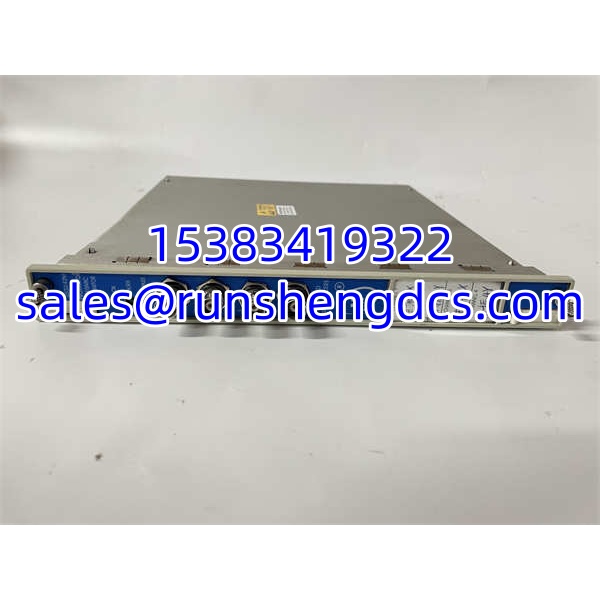

Description
Key Technical Specifications
| Parameter | Specification |
|---|---|
| Product Family | Bently Nevada 3500 Series |
| Module Type | 3500/42M Proximitor/Seismic Monitor |
| Front Panel P/N | 176449-02 |
| Rear I/O P/N (typical) | 128229-01 (standard I/O) |
| Channels | 4 independent, software-configurable |
| Input Signal Types | Eddy-current proximity probes, velocity sensors, accelerometers |
| Configurable Functions | Radial vibration, thrust position, differential expansion, eccentricity, REBAM, speed/Keyphasor |
| ADC Resolution | 24-bit |
| Sampling Rate | Up to 102.4 kHz |
| Measurement Accuracy | ±0.33% FS typical; ±1% maximum |
| Alarm Outputs | 2 programmable relays per channel (Alarm + Danger) |
| Analog Output | +4–20 mA recorder output per channel |
| Input Impedance | 10 kΩ (standard I/O) |
| Sensor Excitation | –24 V DC |
| Power Consumption | ~7.7 W typical |
| Operating Temperature | –30 °C to +65 °C |
| Humidity | Up to 95% non-condensing |
| Compliance | API 670 compliant; part of SIL 2-certified 3500 system |
Product Introduction
A turbine trip during start-up is rarely a mechanical failure — more often it is a bad gap voltage, a loose BNC, or a monitor module that has drifted out of calibration. The 3500/42M (176449-02) sits at the center of that problem. It is the workhorse 4-channel monitor in the Bently Nevada 3500 rack, accepting proximity probe, velocity, and accelerometer signals and converting them into the vibration and position measurements that drive your alarm and trip relays.
What separates the 42M from its predecessor, the 3500/40, is sensor versatility. The 40M handles proximity probes only. The 42M adds velocity and accelerometer inputs, meaning one card type can cover radial vibration, thrust position, differential expansion, eccentricity, REBAM, and speed — all software-configured through the 3500 Rack Configuration Software. With 24-bit resolution, up to 102.4 kHz sampling, and ±0.33% FS typical accuracy, it meets API 670 requirements for both protection and condition monitoring. Each channel delivers dual alarm relays plus a 4–20 mA recorder output, so you get both hardwired trip capability and analog trending in one slot. Bottom line — if your rack still has 3500/40s, the 42M is the upgrade path.
QA/QC Transparency SOP
- Intake & Origin Verification — Confirm front panel P/N 176449-02 and verify the rear I/O module (typically 128229-01). Photograph both labels, including serial number and revision. Reject mismatched front/rear assemblies.
- Live Functional Testing — Install the assembled module into a verified 3500/05 test rack. Power the rack and confirm the OK LED is steady and TX/RX LEDs indicate backplane communication. Connect a 3300 XL proximity probe simulator and verify the channel reads gap voltage and responds to simulated vibration.
- Electrical Parameter Tests — Measure module power draw (~7.7 W typical). Verify sensor excitation voltage at –24 V DC. Check 4–20 mA recorder output accuracy against a Fluke process calibrator at 4 mA, 12 mA, and 20 mA setpoints. Confirm relay contacts close at configured alarm/danger thresholds.
- Firmware/Config Verification — Connect via the 3500/22M TDI or 3500/20 RIM and upload the module configuration using 3500/01 Rack Configuration Software. Verify channel assignments, alarm setpoints, filter settings, and Trip Multiply configuration. Record the firmware revision.
- Final QC & Anti-Static Packaging — Document all test results, including channel-by-channel accuracy readings and relay response times. Label with test date, tester ID, and configuration snapshot. Pack in ESD-safe bag with desiccant and include a one-page test summary.
Field Engineer Gotchas
- Front/Rear Module Mismatch — 176449-02 is the front panel only. It must be paired with the correct rear I/O module (128229-01 for standard I/O). Swapping a front panel onto the wrong rear I/O will give you phantom channel faults or dead outputs. Solution: Always verify both P/Ns before installation. A mismatched pair is a common surplus-market trap.
- Channel Pairing Rules — The 3500/42M configures channels in pairs: channels 1–2 share one function, channels 3–4 share another (or the same function). You cannot assign four different functions to four independent channels. Solution: Plan your channel map before downloading configuration. Trying to force four unrelated measurements onto one 42M will fail at the software validation step.
- Gap Voltage Drift — A proximity probe with a marginal gap voltage (outside the –8 to –18 V DC typical range) will produce erratic vibration readings or nuisance trips during thermal transients. Solution: Verify gap voltage at cold and hot conditions. A reading that shifts more than 1–2 V between cold and operating temperature usually indicates a cable or connector issue, not a failing probe.
- Trip Multiply During Start-Up — If Trip Multiply is enabled but not properly configured, the module may suppress danger alarms during critical speed pass-through — or worse, fail to suppress them and trip the machine unnecessarily. Solution: Confirm Trip Multiply activation source (Keyphasor or speed threshold) and verify the multiply factor in the configuration before commissioning.
- 4–20 mA Ground Loop — Running recorder outputs to a DCS with a different ground reference can inject 50/60 Hz hum into the analog signal, making trend data unusable. Solution: Use isolated 4–20 mA inputs on the DCS side or install a signal isolator. The 3500/42M recorder output impedance is 550 Ω — verify the DCS input impedance is compatible.
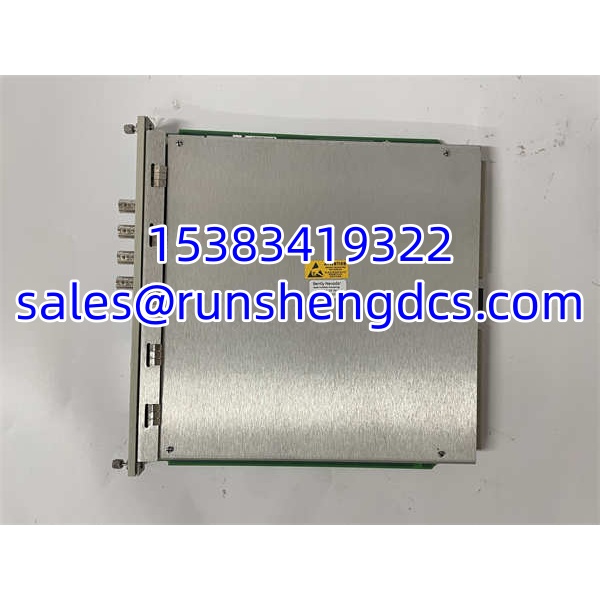
BENTLY 3500/42M 176449-02
Application Scenarios
- Steam turbine radial vibration monitoring — Two 3500/42M modules cover four radial vibration probes (X/Y at two bearings). Each channel drives alarm/danger relays to a 3500/32 relay module for trip logic, while 4–20 mA outputs feed the DCS for trending.
- Centrifugal compressor thrust position + differential expansion — Channels 1–2 monitor thrust position; channels 3–4 monitor differential expansion. The paired-channel configuration matches the mechanical layout, and the dual alarm relays provide independent warning and trip levels per API 670.
- Gearbox bearing vibration with accelerometers — Unlike the 3500/40, the 42M accepts accelerometer inputs directly, eliminating the need for external signal conditioners. Channels 1–4 monitor four bearing locations with velocity or acceleration signals.
- Eccentricity monitoring during turbine roll — The 3500/42M measures shaft bow (eccentricity) before start-up. If eccentricity exceeds the configured limit, the module prevents rolling — avoiding a rub that could damage seals and blades.
FAQ
Q: What is the difference between 3500/40 and 3500/42M?
A: The 3500/40 accepts only proximity probe (eddy-current) inputs. The 3500/42M adds velocity and accelerometer inputs, making it a true multi-sensor monitor. If you need to monitor bearing housing vibration with accelerometers, you need the 42M.
Q: Is 176449-02 a complete module?
A: No. It is the front panel assembly. It must be paired with a rear I/O module (typically 128229-01 for standard I/O) to form a complete 3500/42M monitor.
Q: Can I mix proximity probes and accelerometers on the same 3500/42M?
A: Yes, but within the paired-channel constraint. Channels 1–2 must share one function (e.g., radial vibration via proximity probes), and channels 3–4 share another (e.g., bearing vibration via accelerometers). You cannot assign four completely independent functions.
Q: Does the 3500/42M support hot-swapping?
A: Yes. Like all 3500 modules, it can be replaced while the rack is powered, provided the rack has redundant power supplies. The module will initialize and load its configuration from non-volatile memory automatically.
Q: What software do I need to configure it?
A: Bently Nevada 3500/01 Rack Configuration Software. You connect through the 3500/22M TDI or 3500/20 RIM in Slot 1.
Q: Can I use this module in a SIL 2 application?
A: The 3500/42M is part of the broader 3500 system, which achieves SIL 2 certification for specific monitoring and protection functions when configured and maintained per the OEM certification documentation. The module itself is a component — the SIL claim applies to the system-level configuration. Verify against the current Baker Hughes SIL certificate for your specific application.
Q: My module shows a fault LED but the machine is fine. What do I check first?
A: Check gap voltage on all active channels. A probe outside its linear range (typically –8 to –18 V DC) will trigger a channel fault. Second, verify the rear I/O module is seated properly. Third, upload the configuration and confirm no channel is assigned to a sensor type that is not physically connected.




