
Description
Key Technical Specifications
- Product Type: Module Controller / HMI
- Display Technology: TFT/LED High-Resolution Graphics
- Program Capacity: 2 MB
- Data Capacity: 1 MB
- Operating Voltage: 220V AC
- Output Frequency: 35 Hz
- Processing Speed: 13 Hz
- Operating Temp: -30°C to +70°C
- Protection: Front Shell Resistant to Moisture/Dust
- Weight: 1.1 kg
- Certifications: UL Listed
Product Introduction
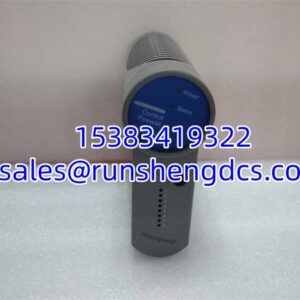
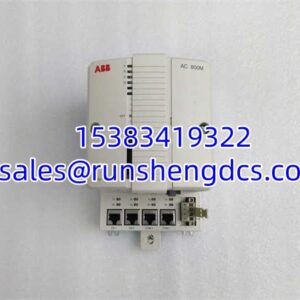
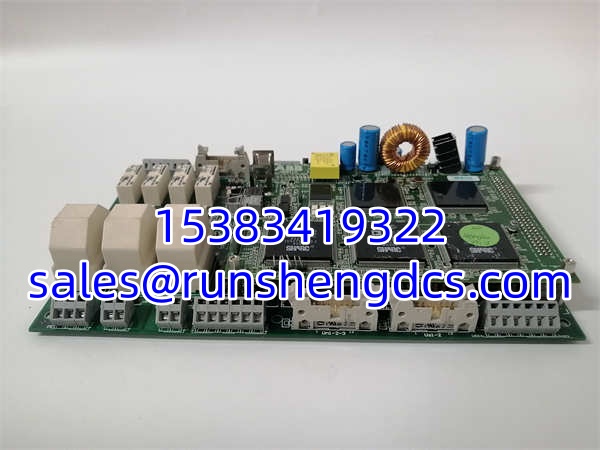
Old HMI panels don’t just fail; they become unreadable. The ABB TAS.580.0540G00 is a Panel 800 series module controller designed to keep legacy process visualization alive when the original screen burns out or the backlight dies. It handles the heavy lifting of graphic rendering and protocol translation, sitting between your PLC/DCS and the operator.
Bottom line — it’s a direct replacement for aging TAS.580 units. With 2MB of program memory and a rugged aluminum housing rated for -30°C to +70°C, the ABB TAS.580.0540G00 survives in control rooms and outdoor cabinets alike. You aren’t upgrading to a new platform; you’re keeping the current one running. Just make sure your Panel Builder 800 project file matches the hardware revision.
QA/QC Transparency SOP
- Intake & Origin Verification: We trace the ABB TAS.580.0540G00 to original ABB production batches to confirm it’s not a field-refurbished unit sold as new.
- Live Functional Testing: Powered up on a test bench, verifying TFT backlight uniformity, touch response across all zones, and communication port handshake.
- Electrical Parameter Tests: Fluke multimeter checks on 220V AC input filtering and internal DC rail stability under load.
- Firmware/Config Verification: Readout of firmware version and project file integrity to ensure no corrupted HMI screens.
- Final QC & Anti-Static Packaging: Shipped in ESD-safe bag with printed test certificate and revision documentation.
Field Engineer Gotchas
- Firmware/Project Mismatch: The ABB TAS.580.0540G00 might have newer firmware than your existing panel. If the HMI project was compiled for an older revision, it may not load or may have missing objects. Always backup the existing project before swapping.
- Touch Calibration Drift: After 10+ years, the touch digitizer can drift. If the new panel feels “off,” run the calibration utility in Panel Builder 800 before blaming the hardware.
- 220V AC Wiring: This isn’t a 24V DC panel. Miswiring 220V AC to a 24V terminal will instantly fry the unit. Double-check the terminal block labeling. I’ve seen two panels destroyed in one week because techs assumed “industrial HMI = 24V.”
- Display Orientation: Some TAS.580 variants support landscape/portrait switching via hardware jumpers or software config. If the screen is rotated 90° after install, check the jumper settings on the back before RMA’ing it.
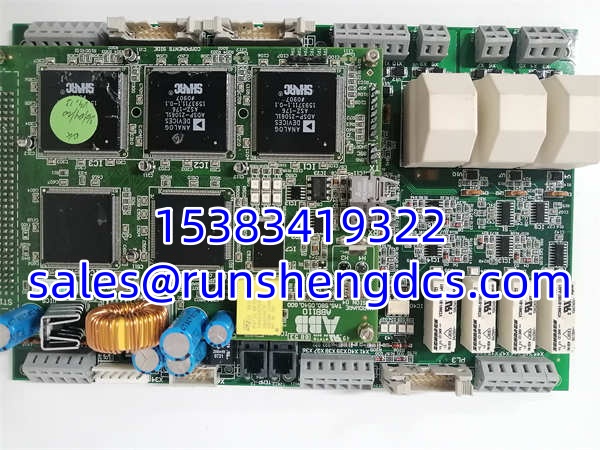
ABB 110 TAS.580.0540G00
Application Scenarios
- Legacy Water Treatment Plants: Municipal facilities running 15-year-old ABB Panel 800 systems use the ABB TAS.580.0540G00 to replace failed operator stations without migrating to a new SCADA platform.
- Petrochemical Control Rooms: Refineries with aging DCS HMIs use it to maintain visualization for critical process units during planned outages.
- Manufacturing Line Upgrades: Plants modernizing PLCs but keeping existing HMI infrastructure use the ABB TAS.580.0540G00 as a bridge until full system migration is budgeted.
Case Study: A chemical plant had a Panel 800 HMI with a dead backlight. They ordered a ABB TAS.580.0540G00, installed it, and got a blank screen. After 3 hours of troubleshooting, we found the original project was compiled for a different display resolution. Re-compiled in Panel Builder 800 with correct target settings, and it worked. Always verify project compatibility, not just hardware model numbers.
FAQ
Is the TAS.580.0540G00 compatible with Panel Builder 800?
Yes, but verify your Panel Builder 800 version. Older versions may not support newer hardware revisions. Check the ABB compatibility matrix before attempting to compile.
Can I hot-swap this HMI panel?
No. Power down the 220V AC supply before replacing the ABB TAS.580.0540G00. Hot-swapping will damage the internal power supply and potentially the communication port.
What’s the difference between TAS.580.0540G00 and TAS.580.0550G00?
The 0550G00 is typically a different display size or bezel variant. Functionally similar, but the physical cutout and mounting dimensions may differ. Measure your existing panel opening before ordering.
Why is my touch screen unresponsive after installation?
Check three things: touch cable connection, calibration status, and whether the HMI is in “Remote” mode (which can disable local touch). Run the calibration utility first.
Do you have these in stock right now?
Inventory for discontinued ABB Panel 800 parts fluctuates daily. Check the live stock counter or contact us directly. We don’t list phantom inventory.
What’s the warranty on surplus TAS.580.0540G00 units?
12 months. If the display fails, touch dies, or communication port stops working under normal use, we replace it. No restocking fees on DOA units.