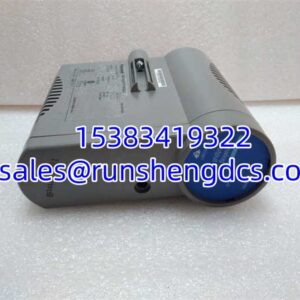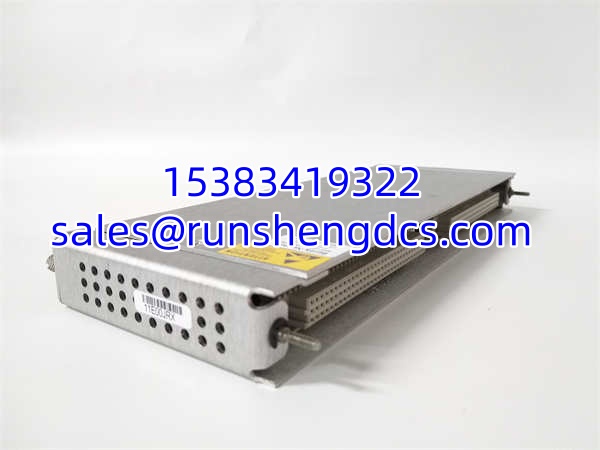

Description
Key Technical Specifications
| Parameter Name | Parameter Value |
|---|---|
| Product Model | 146031-01 |
| Manufacturer | Bently Nevada |
| Product Series | 3500 / 3500/22M |
| Interface Type | 10Base-T / 100Base-TX Ethernet |
| Rack Position | Slot 1 Only (Near Power Supply) |
| Data Capture | Static (Default) + Dynamic (Optional Disk) |
| Operating Temp | -30°C to +65°C |
| Storage Temp | -40°C to +85°C |
| Humidity | 95% Non-Condensing |
| Redundancy | TMR Version Available for Critical Apps |
| Software Compat | System 1, 3500 Config Software |
Product Introduction
Blind spots in vibration analysis usually happen when you can’t capture the exact moment a machine trips. The Bently Nevada 146031-01 solves this by sitting in Slot 1 of your 3500 rack, acting as the high-speed gateway between field transducers and your System 1 diagnostic software. It’s not just a communication card; it’s the forensic recorder for your rotating assets, capturing waveform data that standard monitors miss during fast transient events.
Engineers specify the 146031-01 because it consolidates the old RIM and TDXnet functions into a single module, reducing backplane clutter and failure points. With an operating range of -30°C to +65°C, it handles the thermal stress of unconditioned turbine halls without derating. Bottom line: if you’re running TMR protection or need post-trip waveform analysis, this card is non-negotiable infrastructure, not an optional accessory.
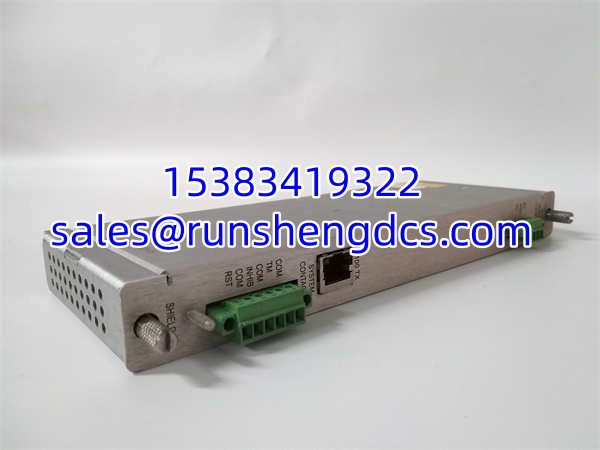
BENTLY 146031-01
QA/QC Transparency SOP
We don’t trust “tested” stickers from surplus brokers. Every 146031-01 undergoes a rigorous five-step validation to ensure it won’t corrupt your historical data:
- Intake & Origin Verification: We trace the serial number against Bently manufacturing records to filter out cloned boards. Visual inspection checks for cracked Ethernet jacks or corrosion on the backplane connector.
- Live Functional Testing: Module is mounted on a live 3500 test rack with M-series monitors. We force a transient capture event and verify the waveform file transfers to System 1 without corruption.
- Electrical Parameter Tests: Fluke 115 verifies the 5V/12V rail stability and checks for continuity on all Ethernet pins. No open circuits or voltage drops under load.
- Firmware/Config Verification: We read the internal EEPROM to ensure the TDI firmware matches the 3500 rack configuration. Firmware version is logged and matched to your spec.
- Final QC & Anti-Static Packaging: Module is sealed in ESD-safe shielding with a printed test report. No bare PCBs in bubble wrap.
Field Engineer Gotchas
- Slot 1 Violation: The 146031-01 must go in Slot 1. Risk: Placing it in Slot 2 or higher will cause the rack to fail initialization or ignore the TDI entirely. Fix: Always verify physical slot position before powering up. I’ve seen a tech spend 4 hours troubleshooting “comm loss” because he put the TDI in Slot 3 to “balance the rack.”
- Missing Channel Enable Disk: Static data is default; dynamic waveforms require the optional disk. Risk: You’ll get steady-state data but miss the critical trip waveform, rendering forensic analysis useless. Fix: Check the front panel or config software for the “Channel Enable” option. If you need transient capture and the disk is missing, the card is functionally incomplete for your application.
- TMR vs. Standard Mismatch: TMR applications require the specific TMR-suffixed version. Risk: A standard TDI in a TMR rack won’t perform the “monitor channel comparison” vote, causing nuisance trips or safety gaps. Fix: Verify the full part number suffix. I once saw a plant install standard TDIs in a TMR turbine protection system; the voting logic failed, and the turbine tripped on a single sensor fault.
- Ethernet Ground Loops: The RJ45 shield must be grounded correctly. Risk: Ground potential differences between the rack and the switch will fry the Ethernet PHY or cause intermittent packet loss. Fix: Use shielded CAT5e/6 and verify the rack ground bond. Don’t rely on the Ethernet cable shield alone for safety ground.
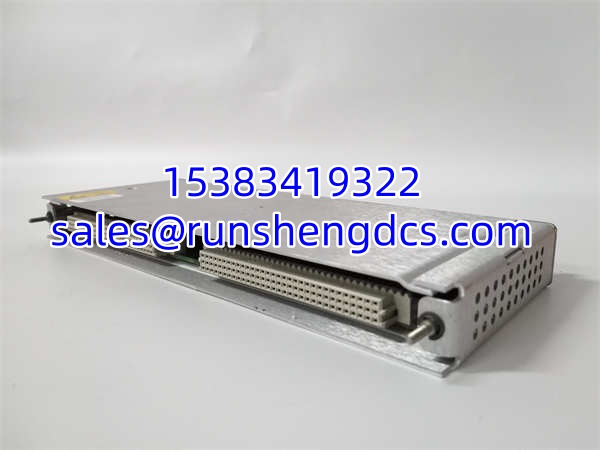
BENTLY 146031-01
Application Scenarios
- Gas Turbine Protection: Capturing high-speed shaft vibration waveforms during emergency trips to distinguish between blade loss and bearing failure.
- Compressor Surge Analysis: Recording pressure and vibration transients during surge events to tune anti-surge valve response times.
- TMR Voting Verification: Using the TDI’s real-time channel comparison to validate sensor health in safety-critical API 670 applications.
Case Study: A refinery’s main air compressor tripped on “high vibration,” but the standard monitor only showed the final RMS value. The 146031-01’s captured waveform revealed a 2X shaft orbit consistent with a loose coupling bolt, not a bearing defect. Maintenance replaced the coupling instead of the $80k bearing, saving 3 days of downtime. The TDI paid for itself in one save.
FAQ
Is the 146031-01 hot-swappable?
No. The 3500 TDI is not designed for hot-swap. Removing it while powered will cause a rack communication fault and may corrupt the configuration. Schedule a shutdown window.
Can I use this with System 1 v8?
Yes, but verify the TDI firmware revision. Older 146031-01 units may require a firmware upgrade to communicate with newer System 1 versions. Check the Bently compatibility matrix before ordering.
Does it capture data if the Ethernet cable is unplugged?
Yes. The TDI has internal memory for static data. However, dynamic waveform capture may be limited or buffered depending on the configuration. Always verify the “Data Buffer” setting in 3500 Config.
What’s the difference between 146031-01 and 146031-02?
Suffix changes usually indicate firmware or minor hardware revisions. Functionally, they are often interchangeable, but TMR voting logic can differ. Always match the full part number for safety-critical TMR applications.
Do I need a TDXnet if I have this?
No. The 146031-01 integrates the TDXnet communication processor function. You can remove the old TDXnet module if upgrading to this TDI.
How do I know if the Channel Enable Disk is installed?
In 3500 System Configuration Software, go to the TDI module properties. If “Dynamic Data Capture” is greyed out or shows “Not Installed,” the disk is missing. Physically, it’s a small daughterboard on the front of the module.
Is this module redundant?
The standard 146031-01 is not redundant. For redundant communication, you need two TDIs in separate racks or the TMR version with voting. Single TDI failure = loss of System 1 data, but not loss of protection.